Processed Data
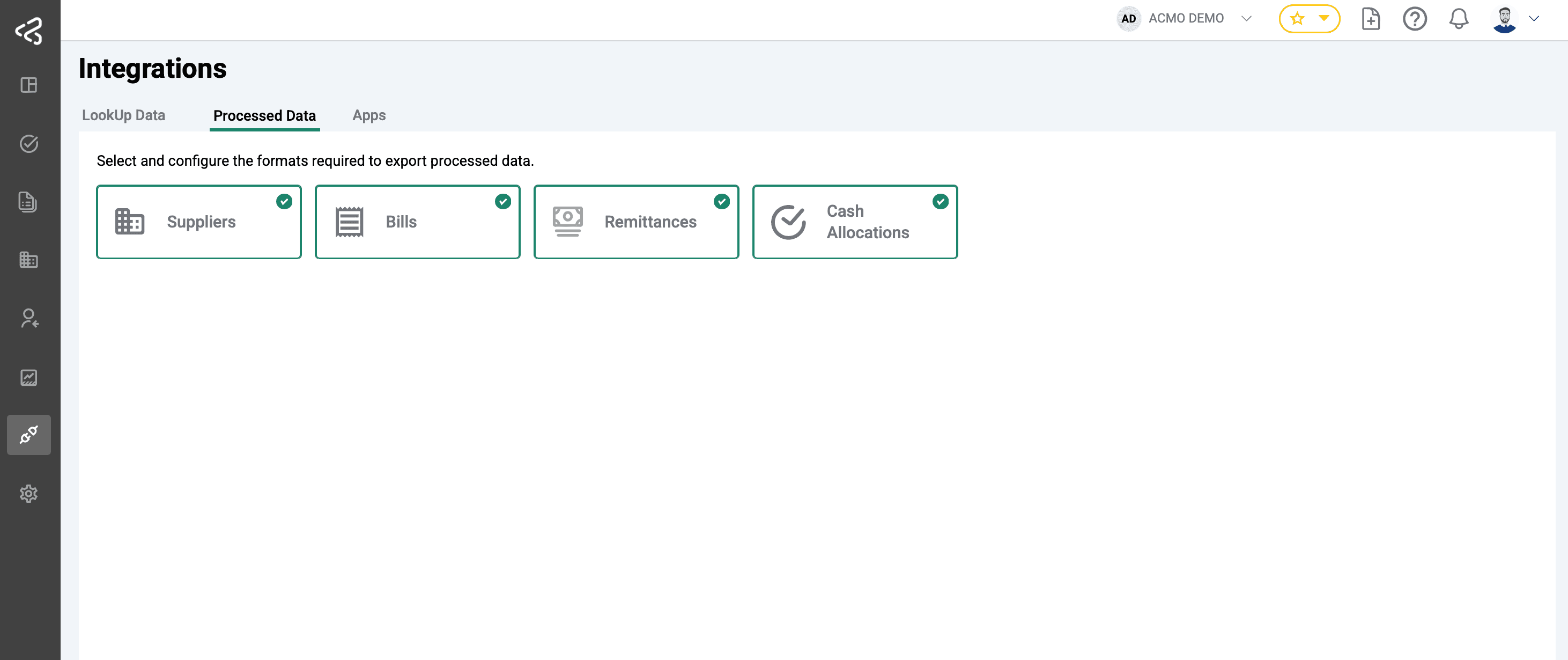
The Processed Data page provides access to data that has been successfully processed by ACMO and is ready for export or integration with downstream ERP systems. This page enables users to download structured outputs or automatically sync data with supported ERP platforms.
To access this page, navigate to Integrations → Processed Data
Purpose
Processed Data allows users to:
- Export finalized data in ERP-compatible formats (for example, Oracle-compatible CSV files).
- Automatically sync processed data to an ERP system using configured integrations.
Available Export Types
The page displays export cards based on the modules subscribed by the user.
Accounts Receivable
If the user is subscribed to the Accounts Receivable module, the following export options are available:
- Cash Allocations
- Remittances
Accounts Payable
If the user is subscribed to the Accounts Payable module, the following export options are available:
- Suppliers
- Bills
These exports include fully processed and validated AP and AR data, ready for posting into the ERP.
If the user is subscribed to both AR and AP modules, all export cards are displayed
Export and Integration Options
For each available data type, users can use:
-
Download Exports: Generate and download files in ERP-compatible formats (for example, Oracle CSV).
-
Automatic Sync: Automatically push processed data to the connected ERP system through configured integrations.
Summary
The Processed Data page serves as the final step in the ACMO processing workflow, enabling seamless handoff of validated AR and AP data to ERP systems. Export options are dynamically tailored based on the user’s subscribed modules, ensuring a relevant and streamlined experience.