Accounts Receivable Reports
ACMO Accounts Receivable reports provide finance teams with visibility into receivables processing and the operational activity managed through the Accounts Receivable module.
Reporting helps teams review how remittances and cash allocation activities are progressing, identify items requiring attention and understand the status of transactions processed through ACMO. This provides an operational view that complements the day-to-day Accounts Receivable workflow.
Using Accounts Receivable reporting
Accounts Receivable reports can be used to support regular operational reviews and help finance teams investigate processing activity across the module.
Depending on the report being reviewed, users can use reporting information to understand transaction status, review processing outcomes and identify records that may require additional investigation or follow-up.
This can help Accounts Receivable and shared services teams maintain visibility across higher transaction volumes while reducing reliance on manual tracking outside the platform.
The AR module includes reports for monitoring receivables health:
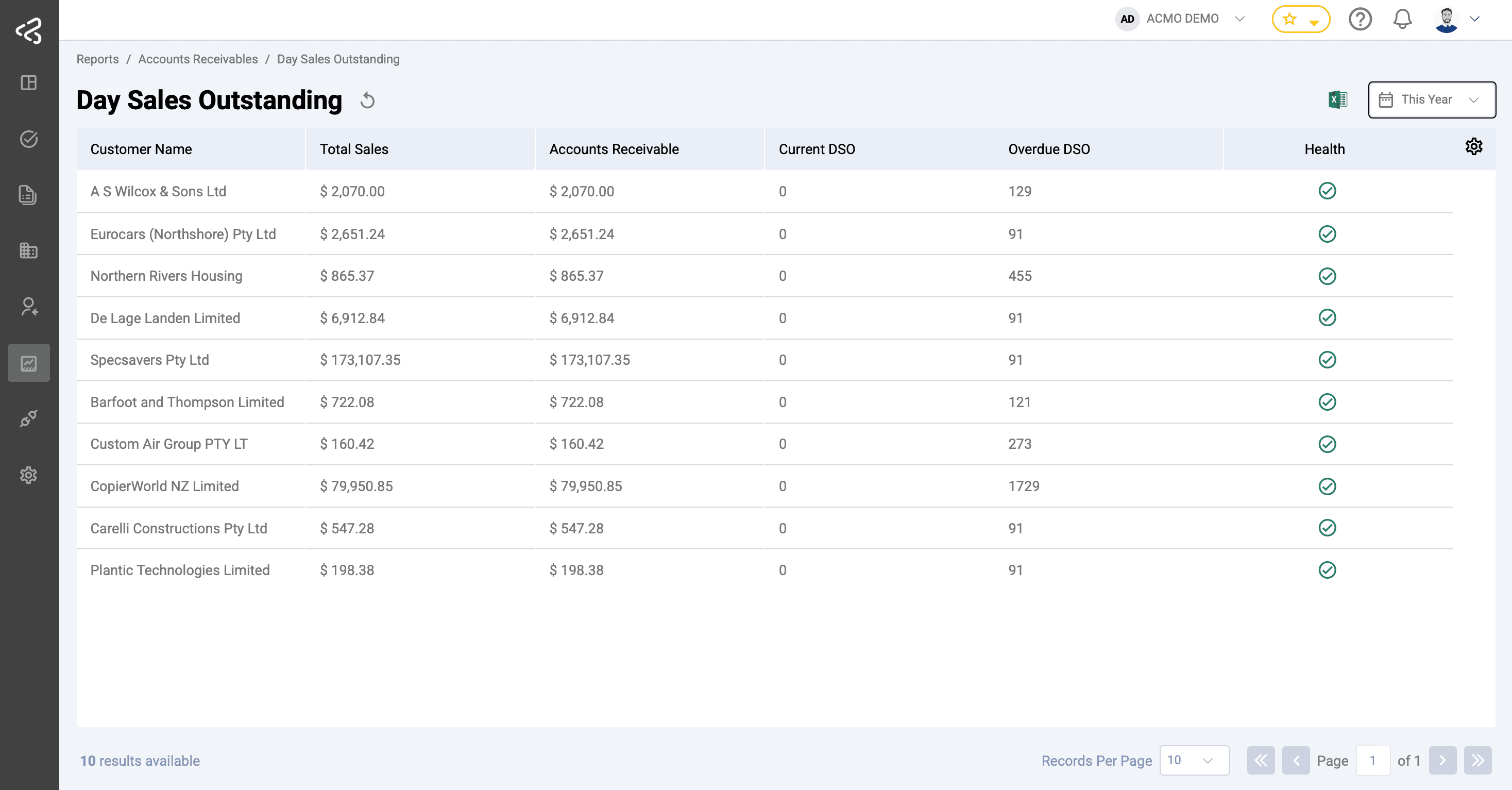
Day Sales Outstanding (DSO)
Tracks average collection period by customer.
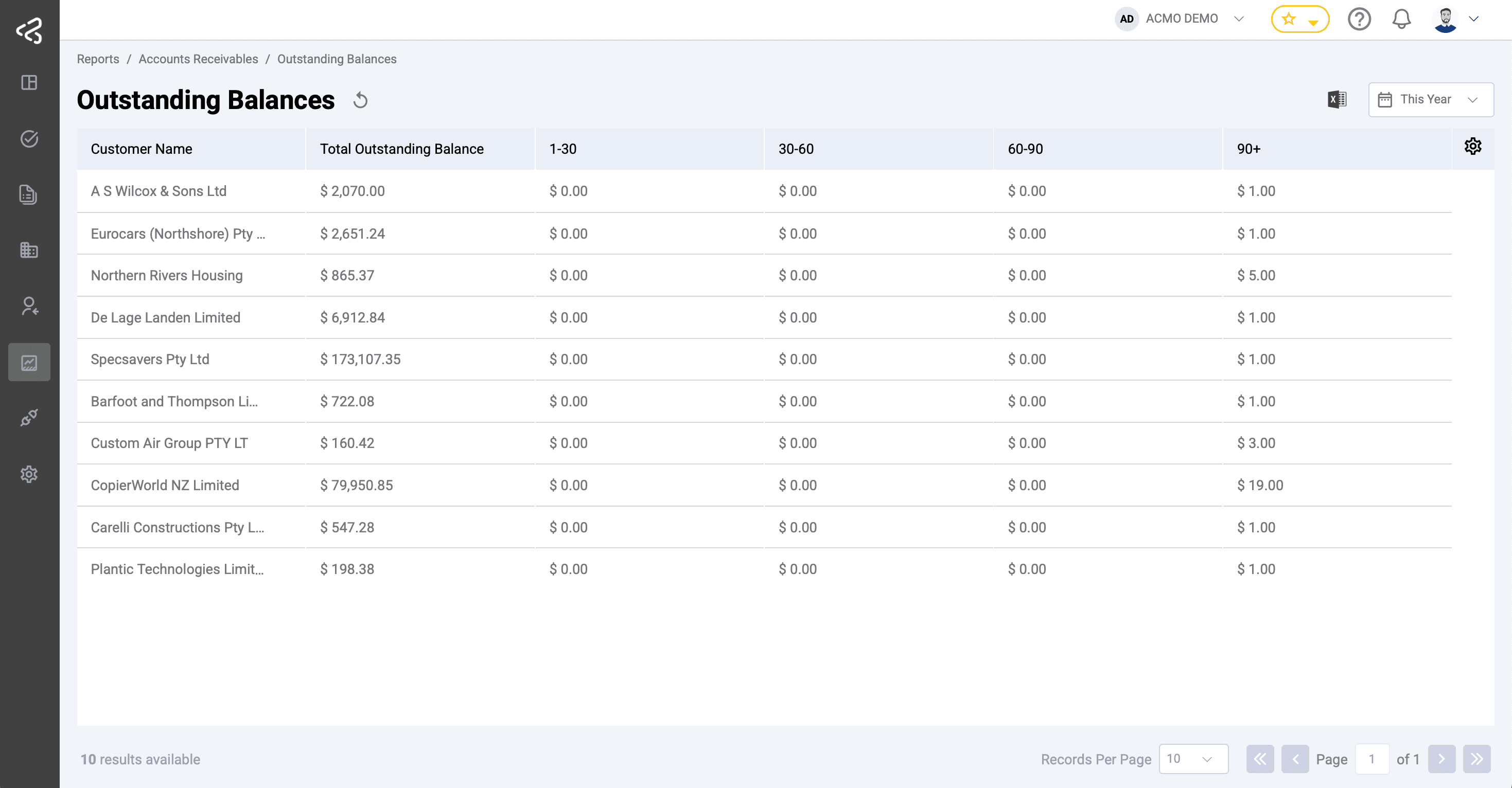
Outstanding Balances
Shows aged receivables (1-30, 30-60, 60-90, 90+).
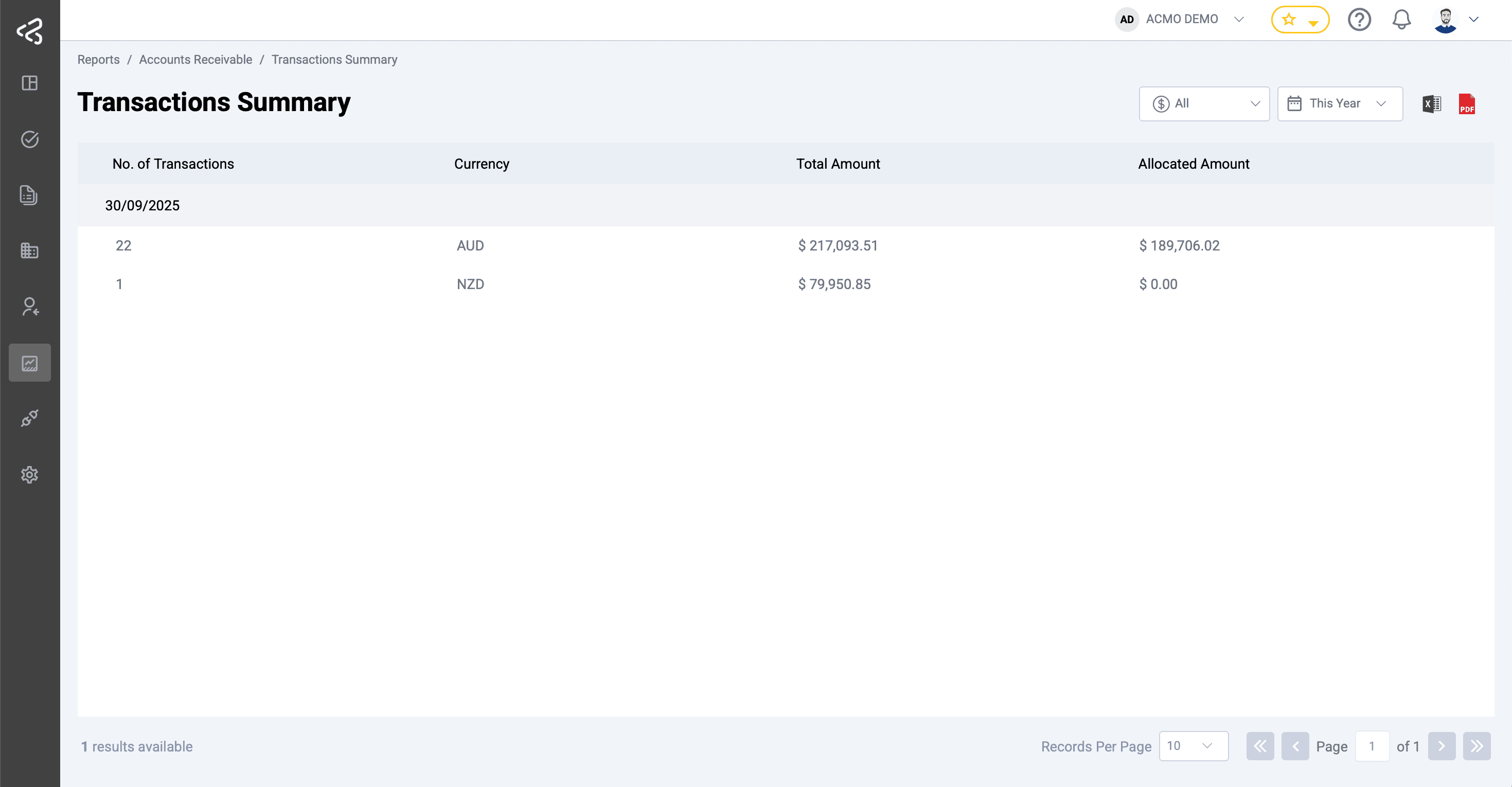
Transactions Summary
Summarises bank transactions processed, allocated, and outstanding.
Accounts Receivable automation and reporting
Reporting forms part of the broader ACMO Accounts Receivable automation process. Incoming remittance information can be processed through ACMO, reviewed where required and used as part of cash allocation workflows.
The reporting capability gives authorised users a consolidated way to review information generated through these processes and supports operational oversight of Accounts Receivable activities.
For further information about related functionality, see: