Straight Through Rate
The Straight Through Rate (STR) Report helps you understand how efficiently tasks are being processed automatically within ACMO — without manual intervention.
It gives you visibility into:
- How many tasks were completed automatically
- The percentage of tasks completed through Straight Through Processing (STP)
- Automation trends over time
- Differences in automation levels across task types
This allows you to monitor how effectively your processes are running and identify opportunities to improve automation.
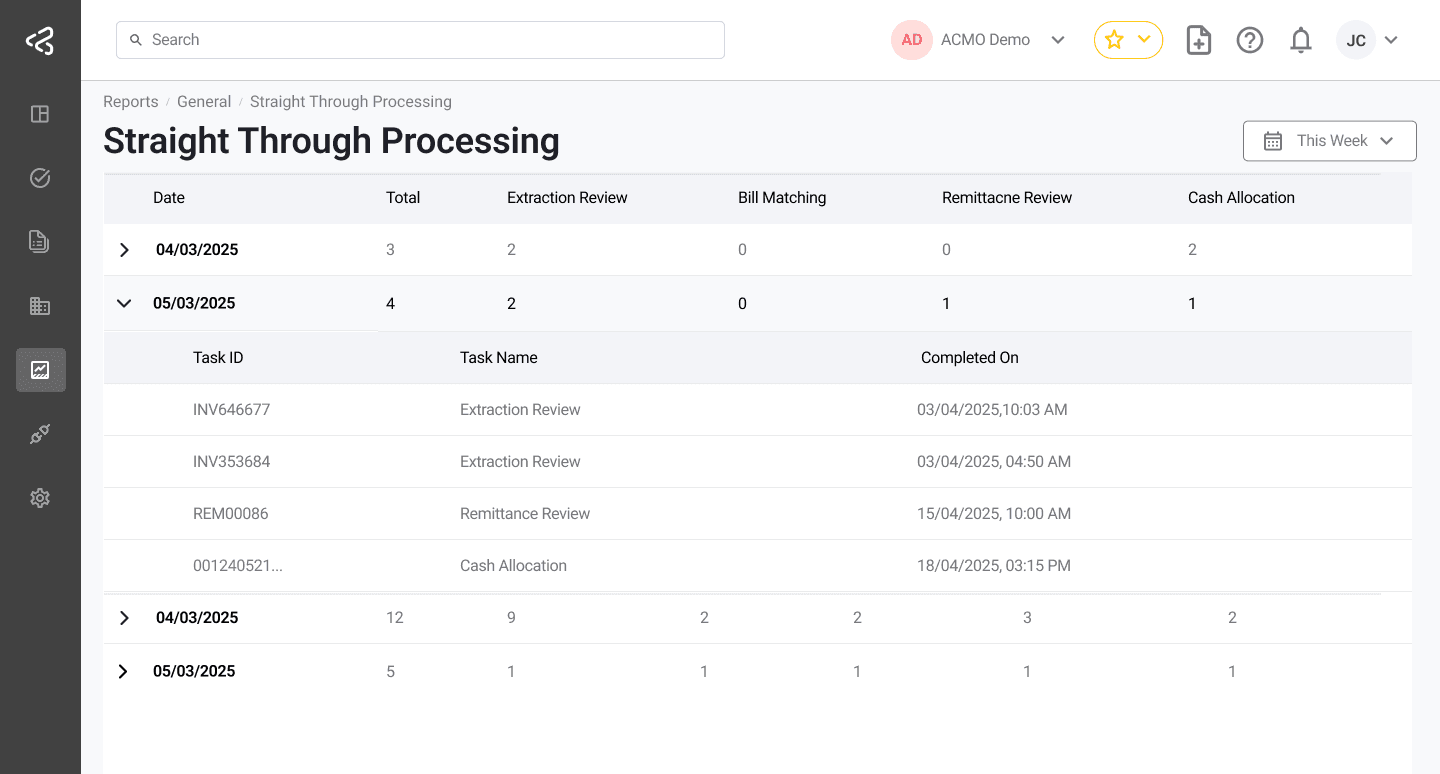
This report focuses only on tasks that were completed automatically through Straight Through Processing.
Why Use This Report?
The STP Report helps answer important operational questions such as:
- What percentage of tasks are being processed automatically?
- Are automation levels improving over time?
- Which task types are achieving higher STP rates?
- How consistently are tasks being processed without intervention?
You can use this report for:
- Tracking automation performance
- Monitoring process efficiency
- Identifying opportunities for automation
- Reducing manual workload over time
- Supporting operational improvement initiatives
Using Filters
At the top of the report page, you can select a:
- Date Range: Choose the time period for which you want to view STP performance.
How to Read the Report
The STP Report gives you both a visual trend and task-level details — all within the same page.
Understand Automation by Task Type
You can see STP performance for different task types across days.

This allows you to:
- Compare automation rates between tasks
- Identify which processes are more automation-friendly
- Monitor how automation is evolving over time
View Automatically Completed Task Details
If you want to explore further, the report allows you to see details of tasks that were completed automatically.
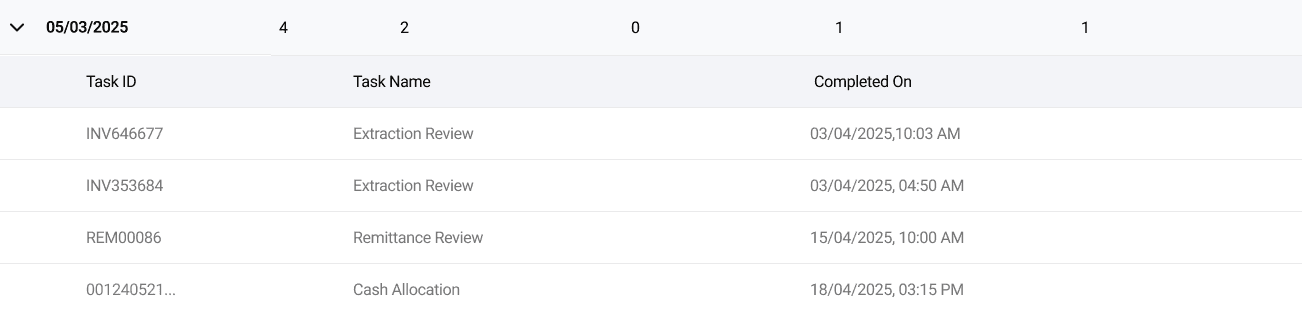
This includes:
- Task ID
- Task Name
- Completion Date
This view helps with:
- Reviewing automatically processed work
- Investigating STP outcomes
- Validating automation performance
- Supporting operational reviews
Export and Scheduling
The STP Report can be:
- Exported for offline analysis
- Included in scheduled reports
This allows you to:
- Share automation performance with stakeholders
- Track improvements over time
- Include STP metrics in regular reporting
STP Widget
A Straight Through Rate Widget is also available on dashboard page within ACMO.
This widget provides:
- A daily trend view of STP rates
- Separate lines for different task types
- Quick insight into automation levels
- A shortcut to open the full STP Report
You can use the widget to monitor automation performance at a glance without opening the full report.
Key Benefits
- Measure automation levels easily
- Track STP performance over time
- Monitor efficiency across task types
- Access details of automatically completed tasks
- Export and schedule reports
Use the Straight Through Rate Report to better understand how effectively your processes are being automated and to support ongoing efficiency improvements within ACMO.