AP Review
The AP Review task is created only when a bill is disputed during Bill Approval. This step allows an AP reviewer to investigate the dispute, correct any issues, and decide whether the bill can be completed or needs to be sent back for further approval. AP Review provides full control to adjust cost allocations, update approval routing, or reassign the bill as needed.
When Bills Reach AP Review
- A bill enters AP Review only when it is rejected (disputed) by an approver in the Bill Approval task.
- The dispute reason provided by the approver is carried forward and visible to the AP Reviewer.
- This task acts as an exception-handling step before the bill is finalised.
Accessing AP Review
- Navigate to Tasks > Accounts Payable from the main left-hand menu.
- Click the AP Review tab to view bills with disputes or exceptions.
- Select a bill from the list to open the AP Review screen.
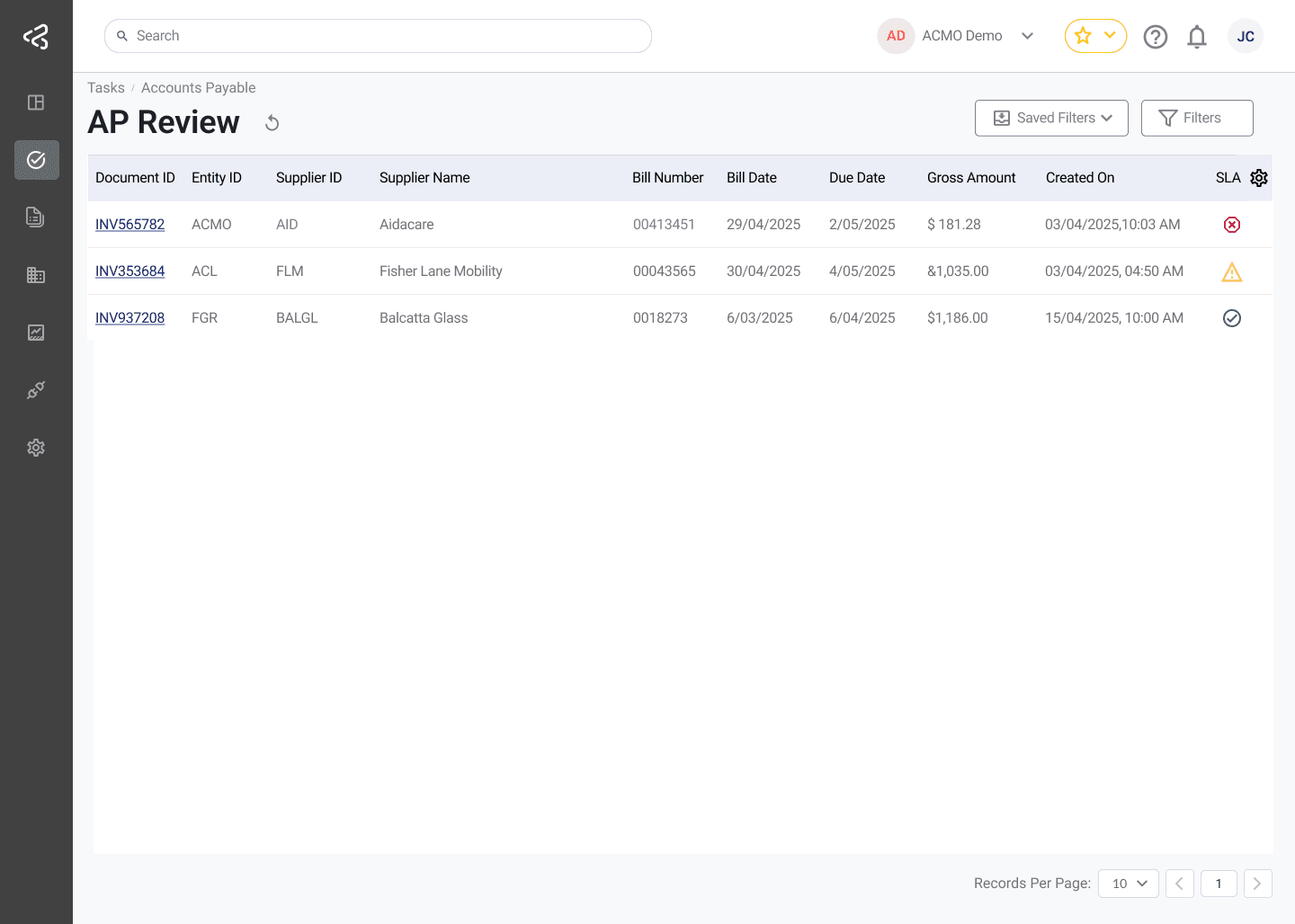
Use the comments icon in the table to quickly view any comments added to a task; the icon will appear in a row only when comments are available.
This task uses the standard filter set. For detailed information, refer to the Task Filters documentation.
Reviewing the Disputed Bill
During AP Review, users can fully reassess the bill and make corrections where required.
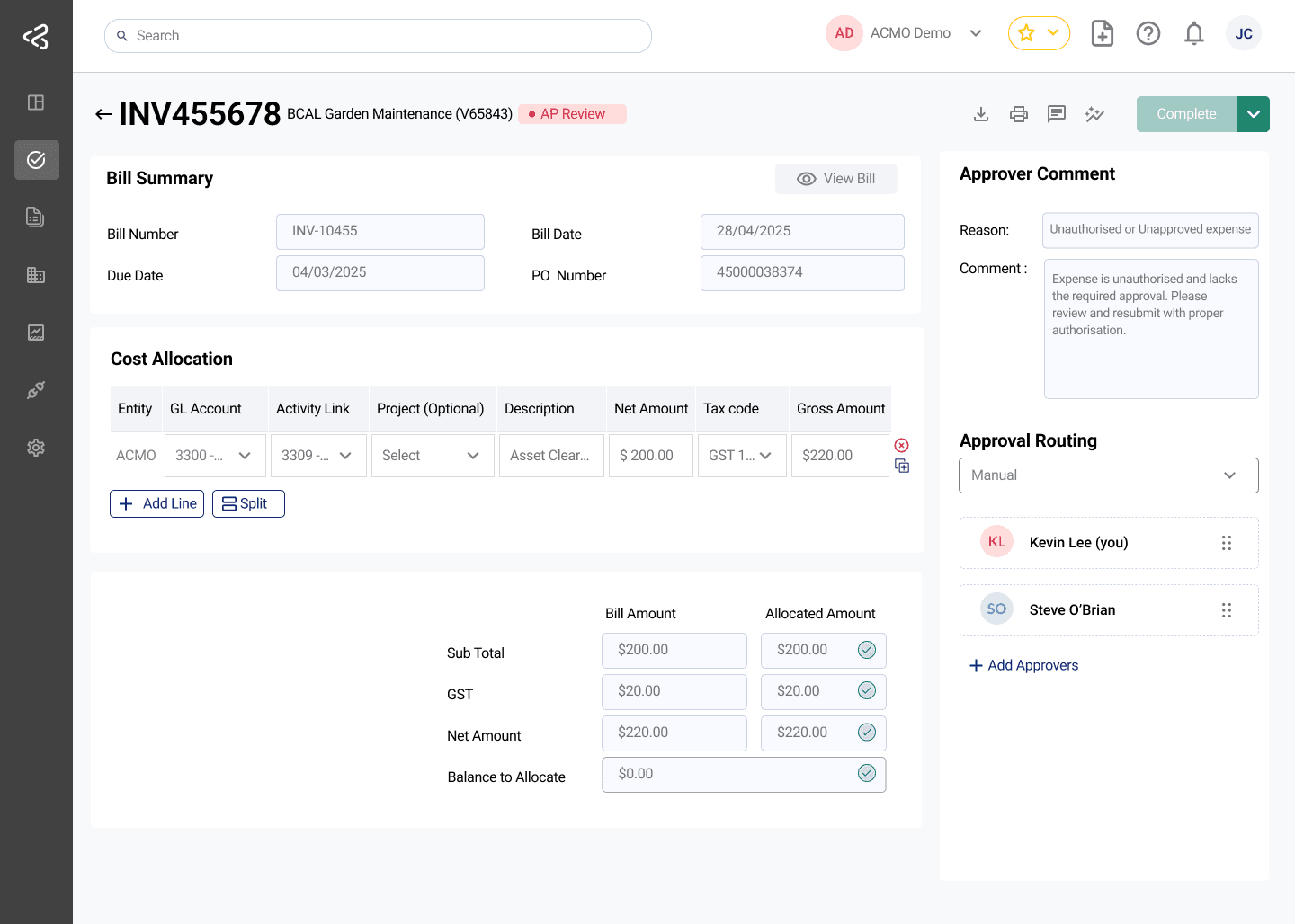
- Review the Bill Summary section to confirm:
- Bill Number
- Bill Date
- Due Date
- PO Number (if applicable)
- Missing or incomplete fields may indicate the reason for the dispute.
- Review the Dispute Reason and comments entered by the approver to understand why the bill was flagged.
Reviewing and Updating Cost Allocation
This step ensures financial accuracy before completing the bill.
- Examine the Cost Allocation table to verify:
- GL Accounts, Activity Links, and Projects
- Amounts and tax calculations
- Compare the Bill Amount with the Allocated Amount to ensure:
- The full value of the bill is allocated
- No balance remains unassigned
- If required, the AP Reviewer can:
- Modify cost allocations
- Correct financial dimensions
- Update amounts or tax codes
Approval Routing and Reassignment
AP Review allows control over how the bill proceeds after correction.
- Review the Approval Routing panel to see:
- Previous approvers
- Current status
- Next approver in the workflow
- Based on the outcome, the AP Reviewer can:
- Reassign the bill back to the original approver.
- Modify the approval routing so that the configured approvers can take action.
Save and Clear options are available only when Allow Save is enabled in General Settings, allowing you to manage and retain in-progress changes efficiently.
Completing AP Review
Once all issues are resolved, the AP Reviewer can finalise the bill.
- Click Complete to submit the AP Review.
- Depending on the action taken:
- If completed, the bill is sent back to Bill Approval task and re-enters the approval workflow.
- If reassigned, the bill is routed back to the relevant approver and re-enters the approval workflow
- All actions, comments, and changes are logged for audit and traceability.
AP Review ensures disputed bills are resolved accurately while maintaining control, transparency, and compliance across the approval process.
For a consolidated view of the bill’s full lifecycle—including extracted data, matching, coding, approvals, comments, and audit trail—see Bill Document.