Module Settings
The Accounts Payable module in the ACMO Solution provides a range of configurable settings that control how bills are processed, coded, matched, and approved. These settings allow organisations to tailor the system to their operational, compliance, and risk management requirements.
Module settings can be managed from:
Settings → Module Settings → Accounts Payable
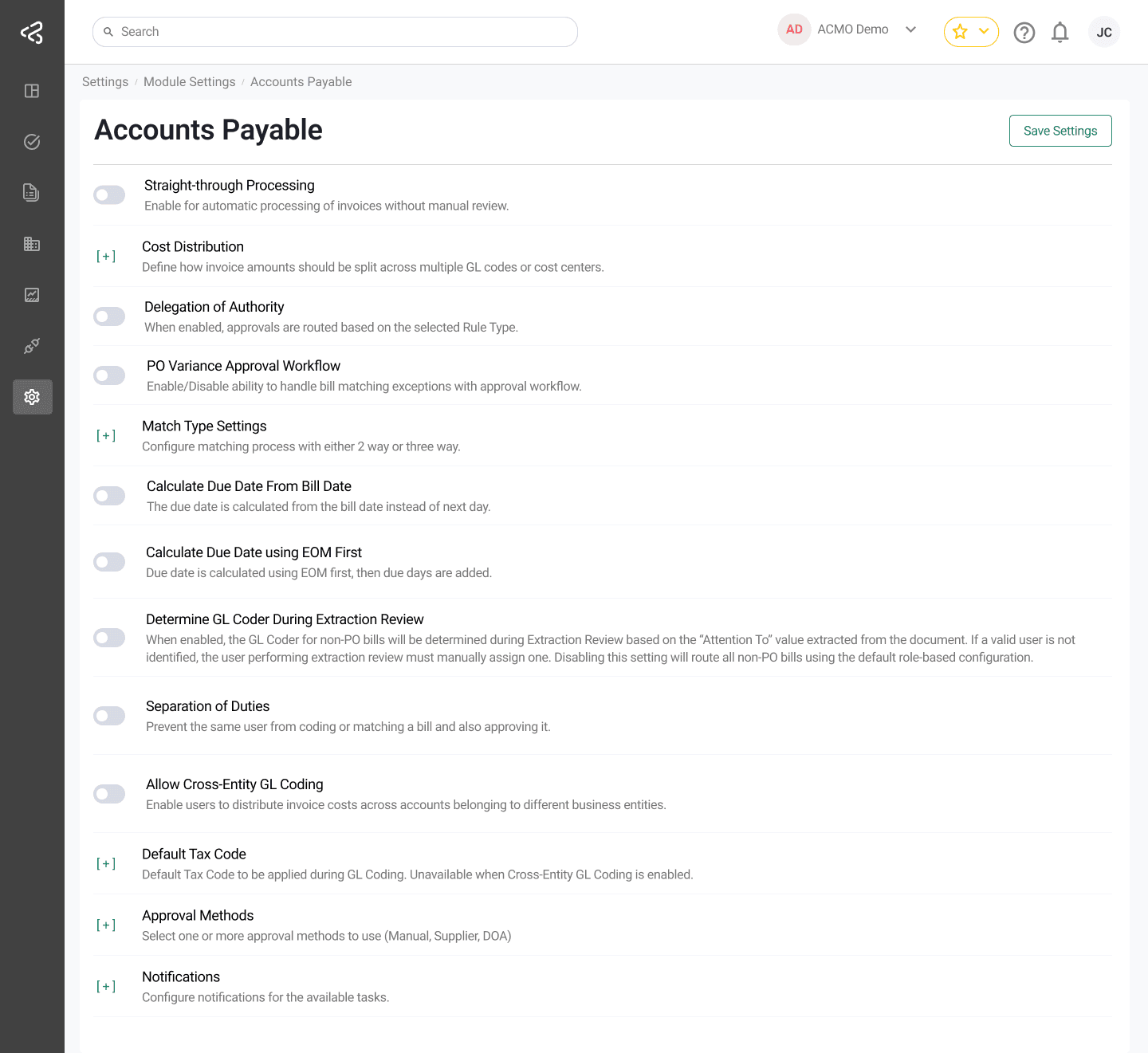
Straight-Through Processing
- When enabled, bills that meet all validation and matching criteria are processed automatically without manual intervention.
- Ideal for High-volume invoices and Low-risk, standard supplier bills
- Helps reduce processing time and manual workload.
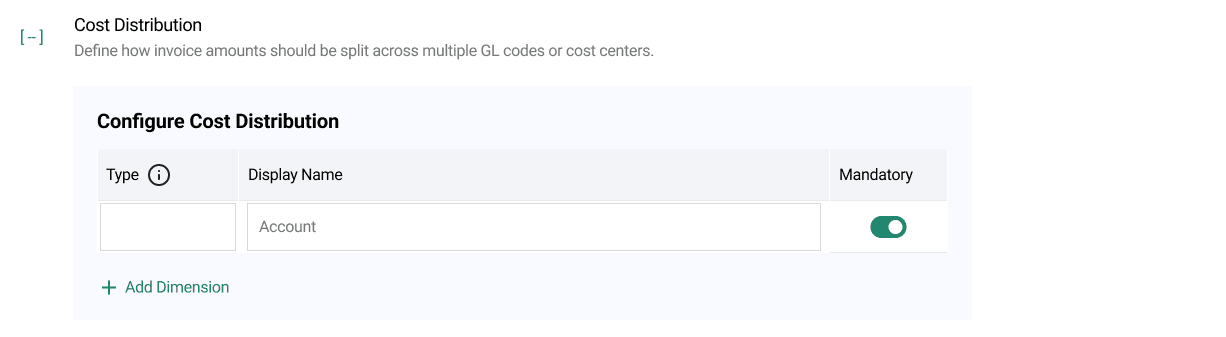
Cost Distribution
Dimensions configured here are displayed on the GL Coding task screen and enforced as mandatory or optional based on your configuration.
- Allows invoice amounts to be split across multiple:
- GL accounts
- Cost centres
- Business units or projects
- Ensures accurate expense allocation and financial reporting.
Delegation of Authority (DOA)
- Automatically routes approvals based on the configured Rule Type.
- Supported rule types include:
- Area-Based Coding: Approvers are determined based on GL codes or cost centres.
- Financial Coding: Approvers are determined based on the financial coding structure applied to the bill.
- Enforces approval policies consistently across the organisation.
PO Variance Approval Workflow
- When enabled, bills with PO matching variances (e.g., price or quantity mismatches) are routed to an exception approval workflow.
- Ensures discrepancies are reviewed and approved before posting.
Grant Access for PO Requestor
- Provides PO requestors with login access to the ACMO Solution.
- Enables requestors to:
- Review bills related to their POs
- Resolve matching exceptions that require their input
- Improves collaboration between procurement and finance teams.
Match Type Settings
- Defines the matching logic used during bill validation:
- 2-Way Match – Bill vs. Purchase Order
- 3-Way Match – Bill vs. Purchase Order vs. Goods Receipt
- Determines the level of validation applied before approval and posting.
Calculate Due Date from Bill Date
- Allows the system to calculate the payment due date starting from the bill date instead of the next calendar day.
- Provides flexibility to align with supplier payment terms.
Determine GL Coder During Extraction Review
- Applicable to Non-PO bills.
- When enabled:
- The system determines the GL Coder during the Extraction Review task.
- Uses the “Attention To” field from the bill to identify the appropriate GL Coder.
- If no valid user is identified, the reviewer must manually assign one.
- When disabled:
- Non-PO bills follow the default role-based GL coder configuration.
Separation of Duties
- Enforces compliance and internal controls by preventing the same user from:
- Coding or matching a bill, and
- Approving the same bill
- Helps maintain audit readiness and reduces risk of fraud or errors.
Allow Cross-Entity GL Coding
- Enables users to distribute invoice costs across GL accounts belonging to different business entities.
- Useful for organisations with shared services, intercompany allocations, or cross-entity cost sharing.
- When enabled, GL coding is no longer restricted to the originating business entity.
Default Tax Code
- Allows configuration of a default tax code to be automatically applied during the GL coding process.
- A drop-down list is provided for users to select the applicable default tax code.
- This option is unavailable when Allow Cross-Entity GL Coding is enabled.
- Helps ensure consistent tax treatment and reduces manual entry.
Approval Methods
Multiple approval routing methods can be configured:
- Manual: Approver is selected manually by the user.
- Supplier: Approver is determined based on supplier-specific mappings.
- Delegation of Authority (DOA): Routing based on configured DOA rules.
- Smart Router: Uses predefined logic or rules to automatically determine approver(s).
Notifications
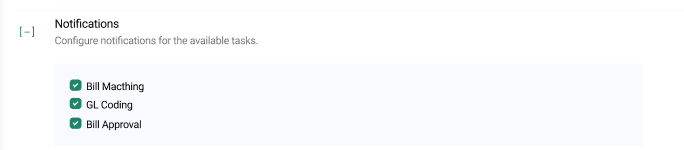
- Allows configuration of system notifications for key Accounts Payable tasks.
- Notification options are controlled using checkboxes and include:
- Bill Matching
- GL Coding
- Bill Approval
- Helps keep users informed of pending actions and improves task turnaround times.
Last updated on