Email Server
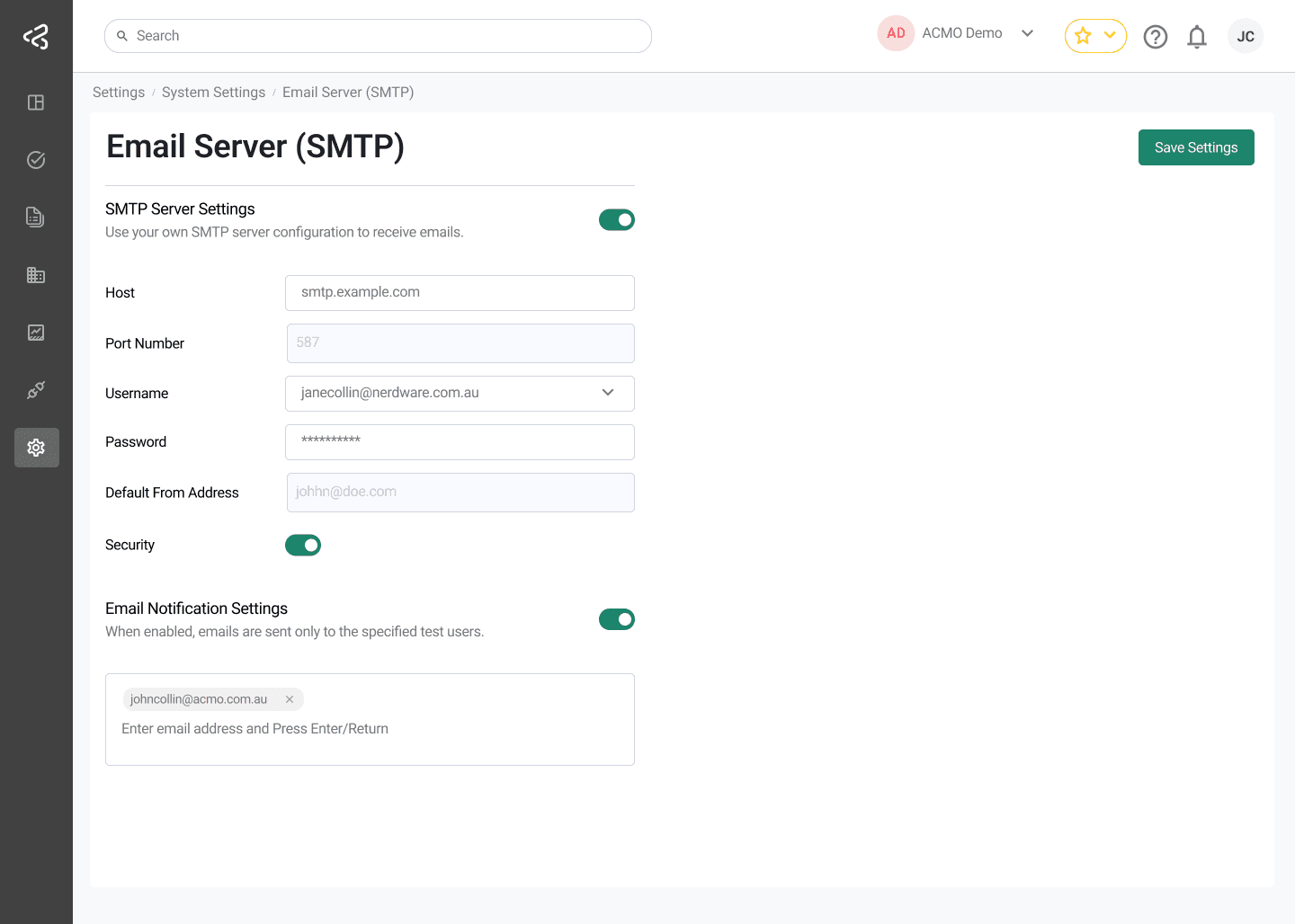
The Email Server Settings screen under System Settings allows administrators to configure how the ACMO Portal sends emails. This includes setting up a custom SMTP server and configuring email notification testing.
Purpose
The Email Server Settings screen enables authorized users to:
- Configure a custom SMTP server for outgoing emails
- Define default sender information
- Test email notifications using specified email addresses
Access to this screen is controlled by role-based permissions.
SMTP Server Settings
The SMTP Server Settings section allows users to configure their own email server.
Enable SMTP Server
- A toggle is provided to enable or disable custom SMTP configuration
- When enabled, additional configuration fields are displayed
Configuration Fields
The following fields are available when SMTP is enabled:
-
Host
The SMTP server host name or IP address -
Port Number
The port used by the SMTP server -
Username
The username for SMTP authentication -
Password
The password for SMTP authentication -
Default From Address
The email address used as the sender for outgoing emails -
Security
A switch to enable or disable secure connection (true or false)
Email Notification Settings
The Email Notification Settings section allows users to configure test recipients for email notifications.
Enable Email Notifications
- A toggle is provided to enable or disable email notification testing
- When enabled, an input field is displayed
Notification Email Addresses
- Users can enter one or more email addresses
- These addresses are used to test various email notification triggers
- Useful for validating email configuration and notification workflows
Saving Configuration
- A Save Settings button is available in the top-right corner of the screen
- Clicking this button saves and applies all configured email server and notification settings
Summary
The Email Server Settings screen provides flexible control over email delivery within the ACMO Portal. By supporting custom SMTP configuration and email notification testing, administrators can ensure reliable and secure email communication aligned with their organization’s requirements.