Module Settings
The Accounts Receivable module in the ACMO Solution provides a range of configurable settings that control how transactions are processed and matched. These settings allow organisations to tailor the system to their operational, compliance, and risk management requirements.
Module settings can be managed from:
Settings → Module Settings → Accounts Receivable
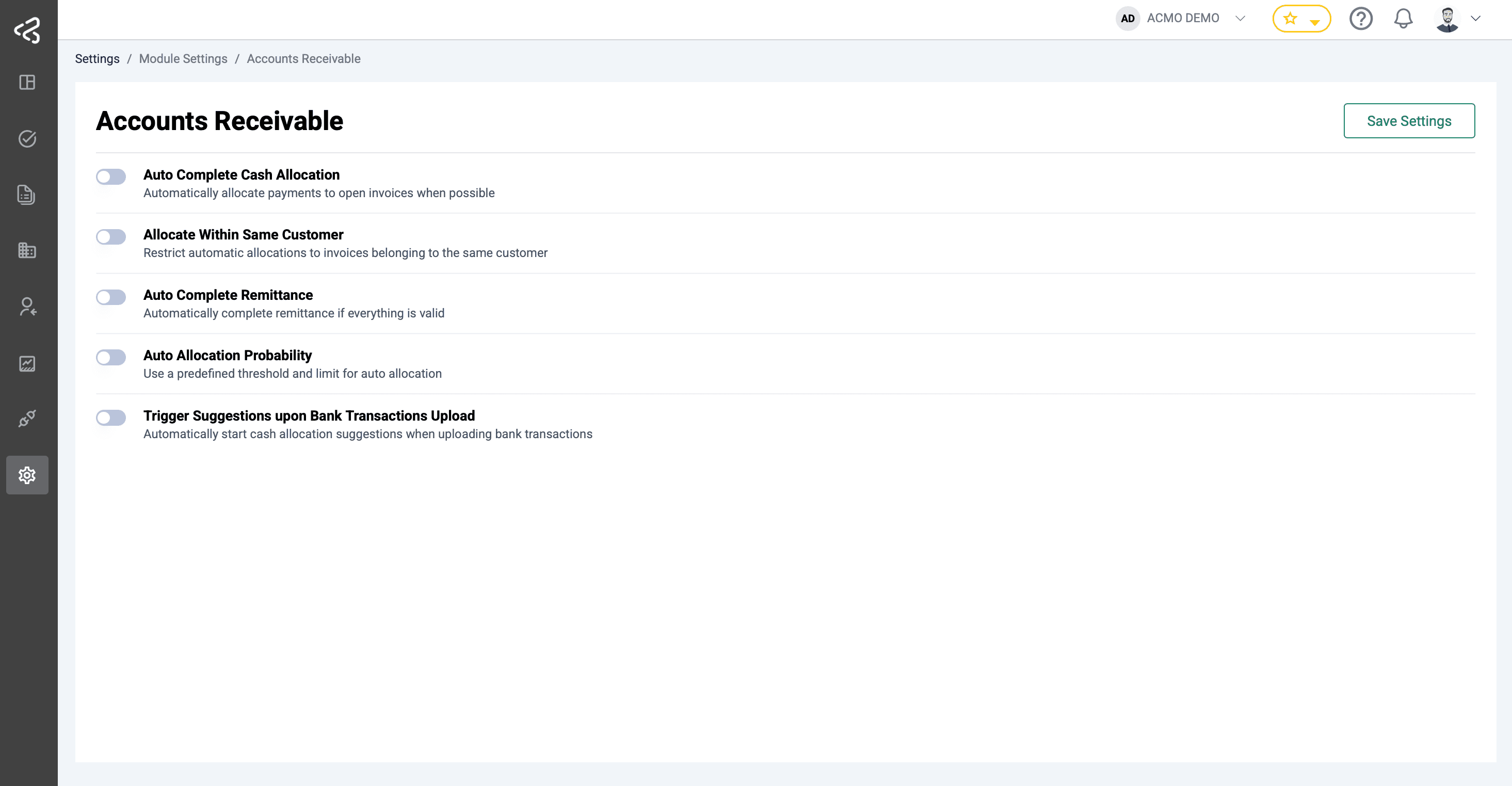
Auto Complete Cash Allocation
Automatically streamline the cash application process by allocating incoming payments as soon as a unique and confident match is identified.
- Automatically allocates payments when a single, unambiguous match is found between a bank transaction and an open invoice.
- Eliminates manual intervention for straightforward payments, reducing processing time and operational costs.
- Ensures faster clearing of accounts receivable and improves cash visibility.
- Applies allocation logic consistently to minimize human error and reconciliation delays.
- Ideal for high-volume environments where repetitive matching slows down finance teams.
Allocate Within Same Customer
Ensure accuracy and compliance by restricting payment allocation to invoices belonging to the same customer.
- Limits auto-allocation to open invoices associated with the originating customer only.
- Prevents accidental cross-customer allocations that can lead to disputes or reconciliation issues.
- Strengthens data integrity by enforcing customer-level validation rules.
- Supports organizations with complex customer hierarchies or similar invoice amounts across accounts.
- Helps maintain clean audit trails and improves trust in automated allocation results.
Auto Complete Remittance
Automatically finalize remittance processing when all predefined checks and validations are satisfied.
- Completes remittance records without manual review when validation rules pass successfully.
- Validations may include amount matching, invoice status, customer alignment, and currency checks.
- Reduces backlog in remittance processing and accelerates cash posting cycles.
- Improves straight-through processing (STP) rates for electronic payments and remittance data.
- Allows finance teams to focus on exceptions rather than routine transactions.
Auto Allocation Probability
Control automation behavior using a configurable probability threshold that defines confidence levels for auto-allocation.
- Uses a probability score (0-100) to determine whether a suggested match should be automatically applied.
- Higher thresholds ensure only high-confidence matches are auto-allocated.
- Lower thresholds allow more aggressive automation for teams comfortable with broader matching.
- Balances risk and efficiency by giving organizations control over automation sensitivity.
- Supports gradual adoption of automation by adjusting thresholds over time.
Transaction Amount Limit
Manage auto-allocation behavior based on the size of incoming payments.
- Set minimum and maximum transaction amount limits for automated allocation.
- Prevents high-value or sensitive payments from being auto-allocated without review.
- Enables different automation strategies for small, routine payments versus large, complex ones.
- Reduces financial risk while still maximizing automation benefits.
- Particularly useful for organizations with tiered approval or review requirements.
Trigger Suggestions on Upload
Automatically initiate intelligent matching as soon as bank transactions are imported into the system.
- Starts match suggestion algorithms immediately upon bank transaction upload.
- Eliminates the need for manual triggering of allocation or matching processes.
- Accelerates time-to-suggestion, allowing faster review and approval.
- Ensures no transactions are overlooked or delayed in the matching workflow.
- Improves overall efficiency and responsiveness of the cash application process.