Reports
Reports in the Accounts Payable module provide visibility into bills and liabilities over time. They help finance teams monitor payment status, identify risks, and make informed decisions using real-time and historical data. Most reports support date-based filtering, allowing users to analyse trends for specific periods.
Accessing AP Reports
To view Accounts Payable reports:
- Navigate to the left-side menu
- Click Reports
- Select Accounts Payable
- Choose the required report (for example, Pending Bills or Bills Summary)
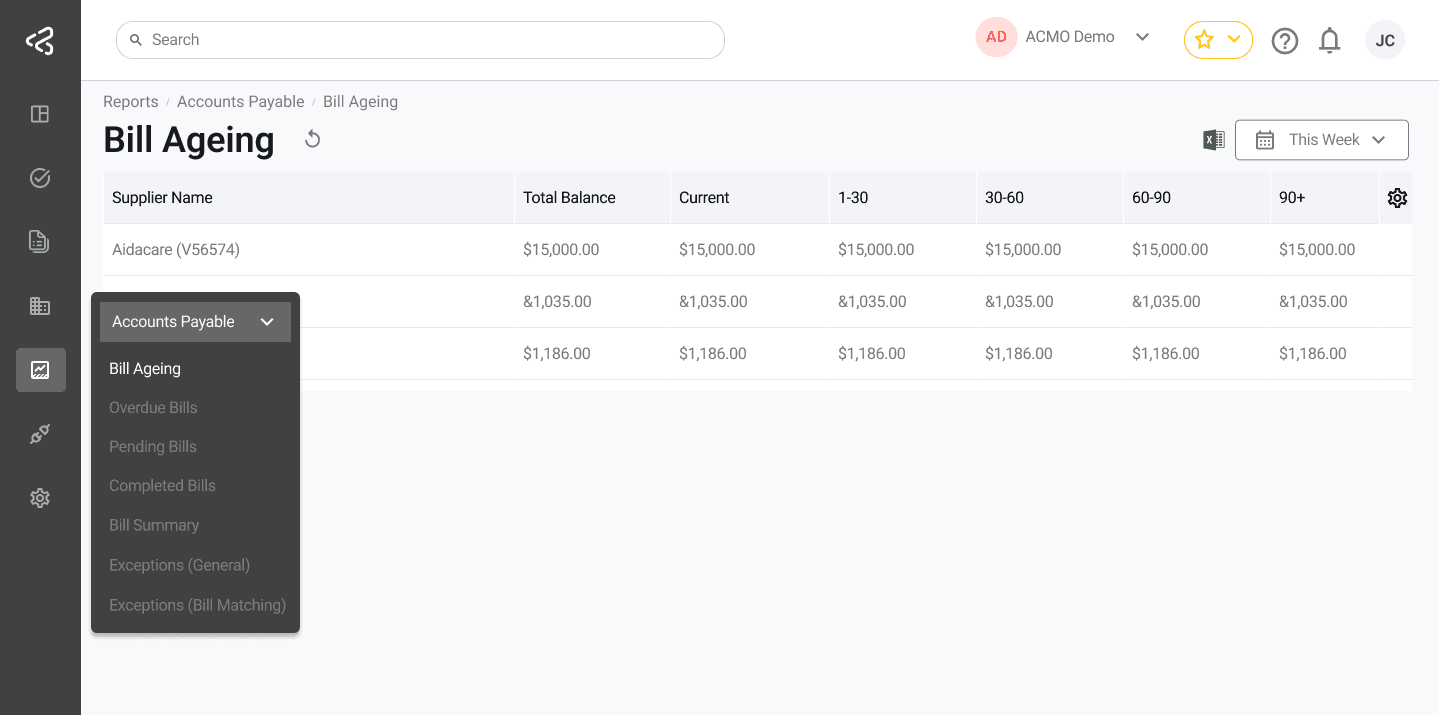
Bills Ageing
The Bills Ageing report provides a structured view of outstanding bills grouped by how long they have remained unpaid. This helps prioritise payments and manage cash flow effectively.
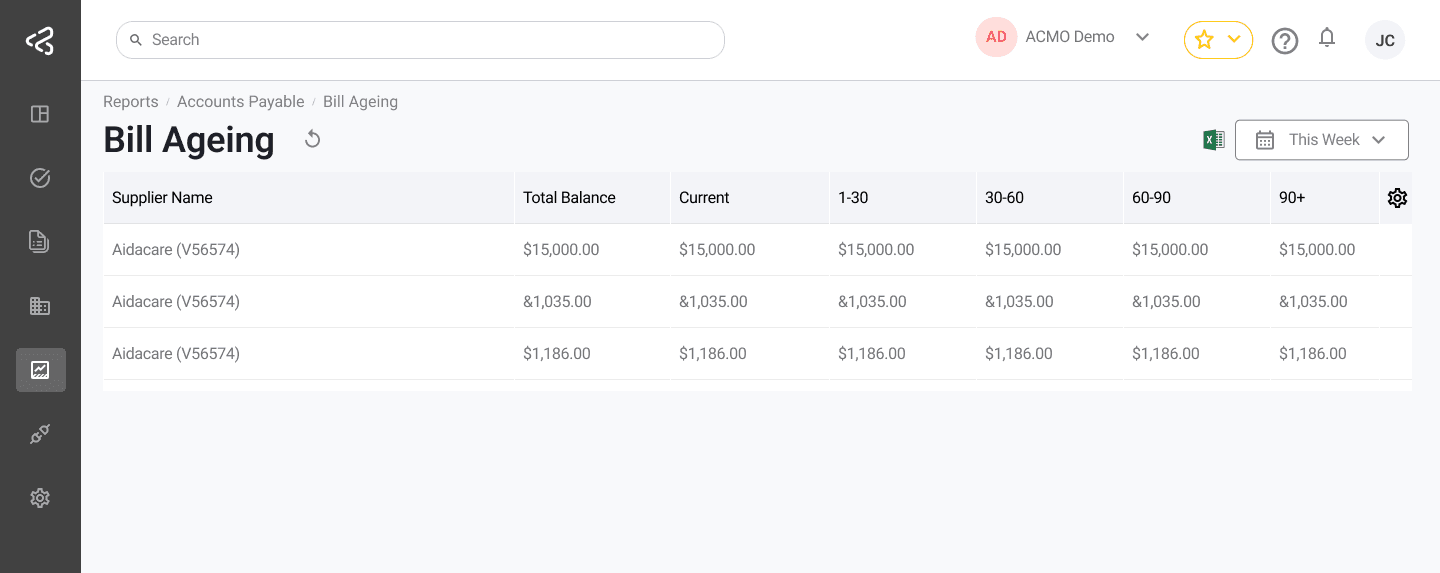
- Displays outstanding balances grouped by Supplier
- Shows Total Balance and amounts split across ageing buckets:
- 1-30 days
- 31-60 days
- 61-90 days
- 90+ days
- Helps identify:
- Recently due bills
- Critically overdue liabilities
- Supports proactive follow-up to reduce overdue payments and strengthen supplier relationships
Overdue Bills
The Overdue Bills report highlights bills that have passed their due dates and require immediate attention.
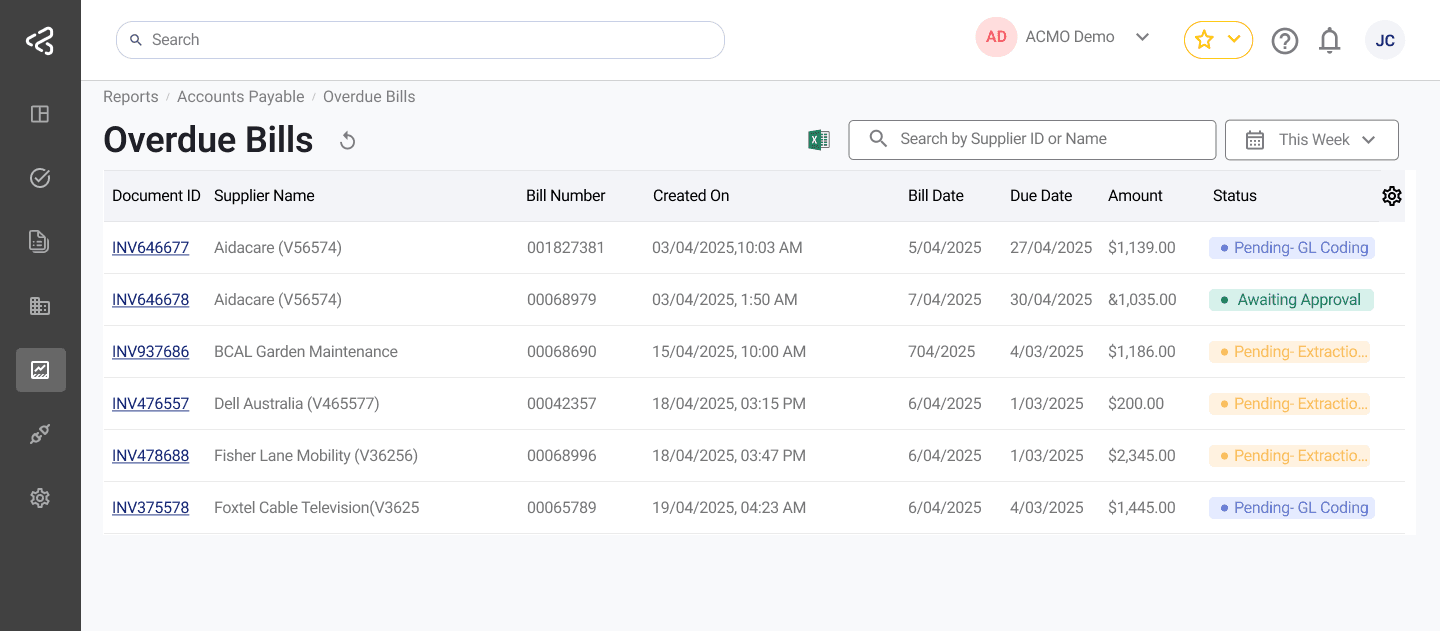
- Lists bills that are overdue across suppliers
- Helps teams:
- Identify delayed payments quickly
- Avoid penalties or late fees
- Improve follow-up and resolution
- Provides clear visibility into high-risk liabilities impacting vendor relationships
Pending Bills
The Pending Bills report offers a consolidated view of bills that are still in progress.
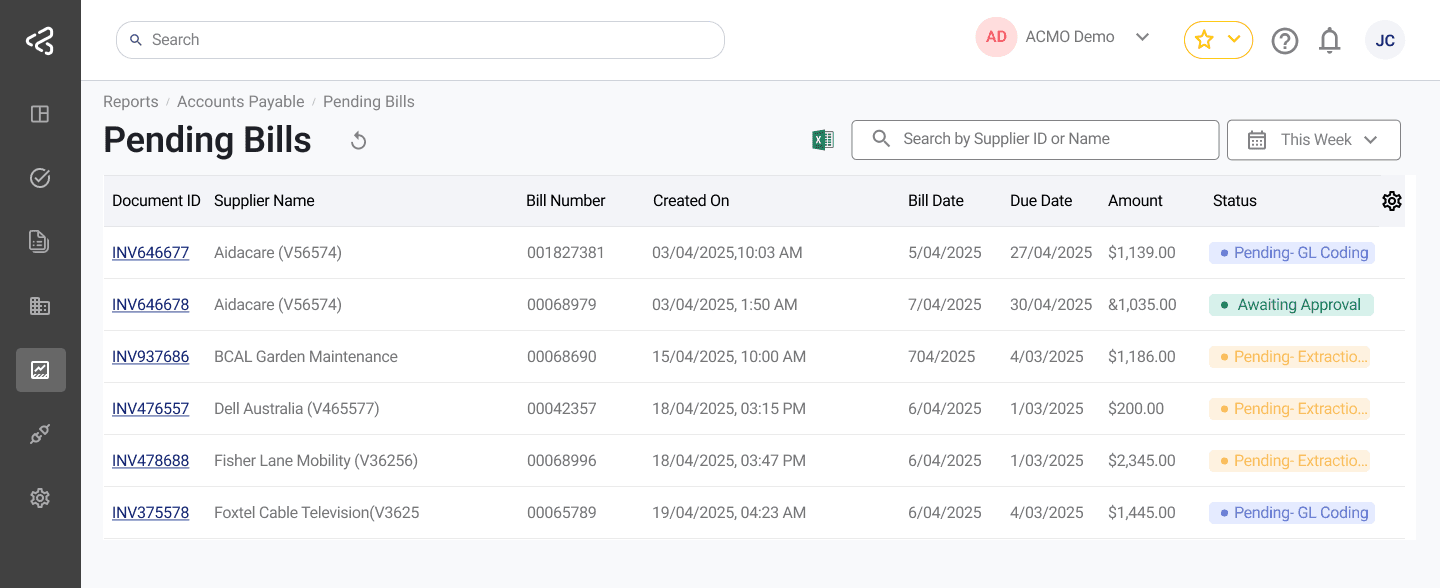
- Includes bills awaiting:
- Approval
- Review
- Completion
- Helps finance teams:
- Track outstanding tasks
- Ensure accountability across workflows
- Improve cash flow forecasting
- Useful for monitoring processing bottlenecks and workload distribution
Bills Summary
The Bills Summary report provides a high-level, supplier-wise overview of financial obligations.
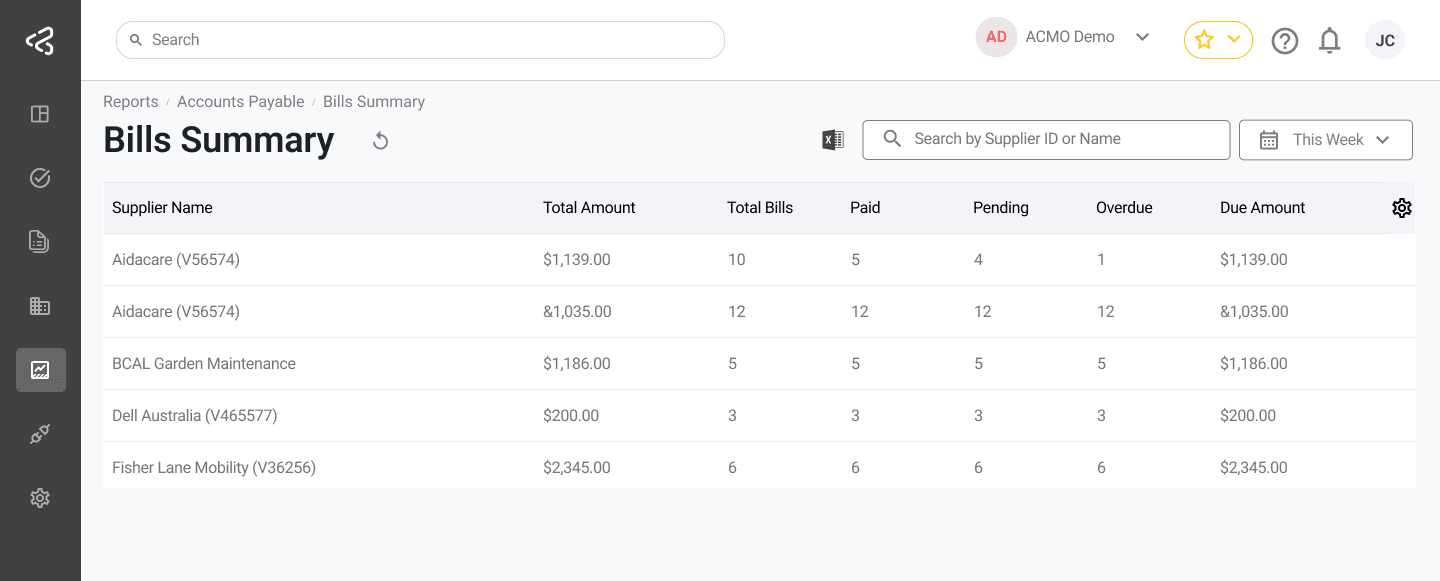
- Displays payment status across multiple suppliers
- Enables quick assessment of:
- Total liabilities
- Paid vs unpaid bills
- Overdue amounts
- Supports filtering by:
- Date range
- Supplier name
- Useful for reconciliation, audits, and management-level reporting
Exceptions
The Exceptions report lists bills and tasks that could not be processed automatically due to issues or validation failures.
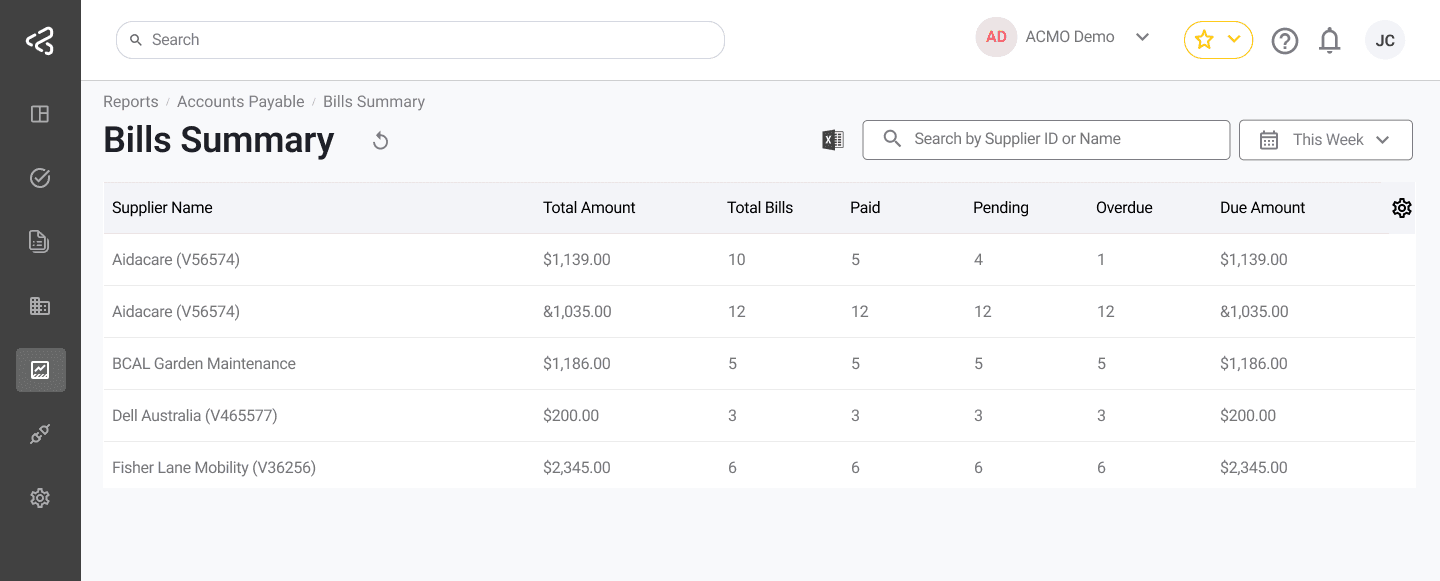
- Highlights bills with:
- Data inconsistencies
- Validation errors
- Workflow exceptions
- Enables finance and audit teams to:
- Quickly identify problem cases
- Investigate and resolve issues
- Maintain accuracy and compliance across the AP process
Reports collectively provide transparency into Accounts Payable operations, helping teams stay informed, proactive, and in control of financial obligations.
Use the export icon in the filter bar to export reports to Excel or PDF.