Date & Time
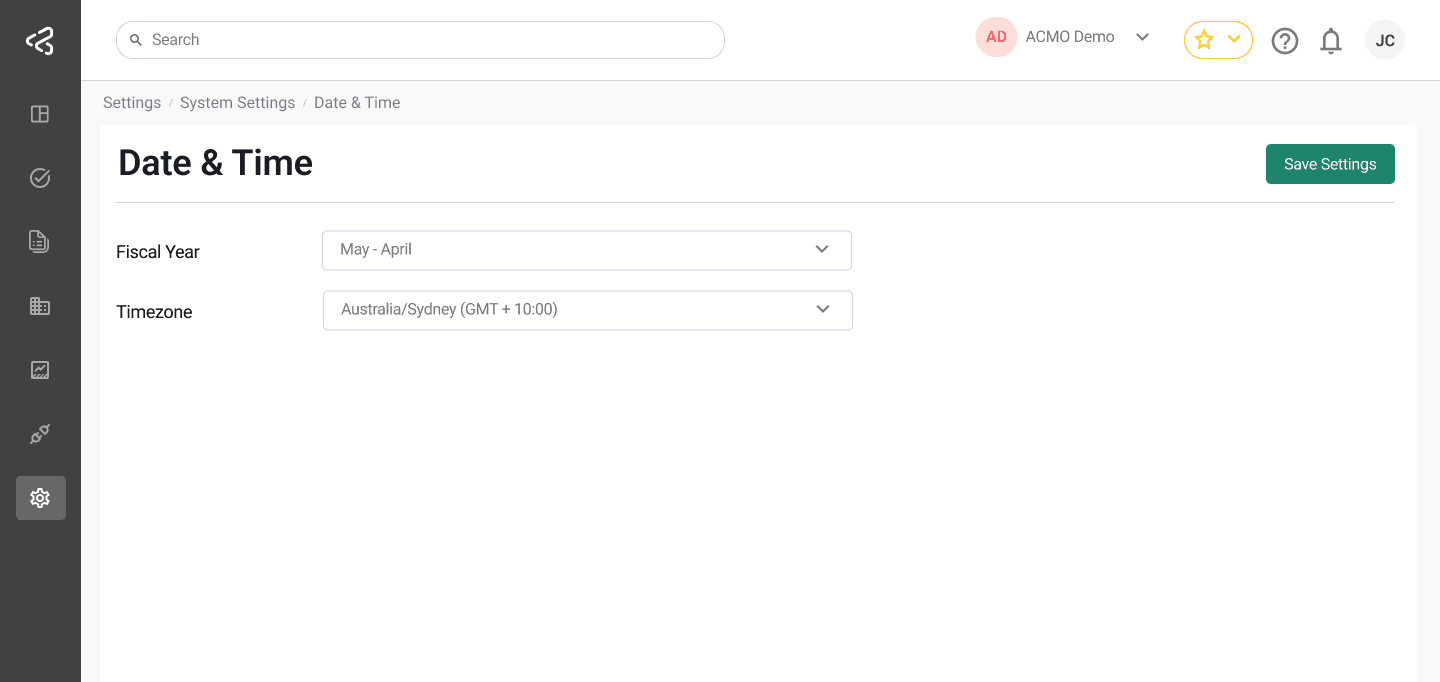
The Date & Time screen under System Settings allows administrators to configure time-related settings that affect reporting, calculations, and backend logic across the ACMO Portal.
Purpose
The Date & Time screen enables authorized users to:
- Define the fiscal year used for reports and financial calculations
- Configure the default time zone for the organisation
- Ensure consistent date and time handling across the system
Access to this screen is controlled by role-based permissions.
Fiscal Year
-
A dropdown is provided to select the fiscal year period
-
The selected fiscal year is used for:
- Financial reporting
- Backend calculations
- Date-based business logic
-
The default Fiscal Year is July - June
-
The following fiscal year options are available:
Fiscal Year Date Range January - December 1 January - 31 December February - January 1 February - 31 January March - February 1 March - 28 February April - March 1 April - 31 March May - April 1 May - 30 April June - May 1 June - 31 May July - June (Default) 1 July - 30 June August - July 1 August - 31 July September - August 1 September - 31 August October - September 1 October - 30 September November - October 1 November - 31 October December - November 1 December - 30 November
Time Zone
- A dropdown is provided to select the organisation’s default time zone
- The list includes all supported time zones
- Users can search within the dropdown to quickly find their time zone
- The default system time zone is Australia/Sydney
- This time zone is used for:
- Timestamps
- Report generation
- Backend scheduling and logic
Summary
The Date & Time screen ensures that financial reporting and system behavior align with the organization’s fiscal structure and geographic location. By configuring the fiscal year and time zone, administrators maintain accurate and consistent date and time handling across the ACMO Portal.