System Tasks
The System Tasks screen under System Settings allows administrators to view and manage system-level background tasks that run on a scheduled basis.
These tasks are used to perform periodic system operations such as data refreshes, maintenance jobs, and automated processing.
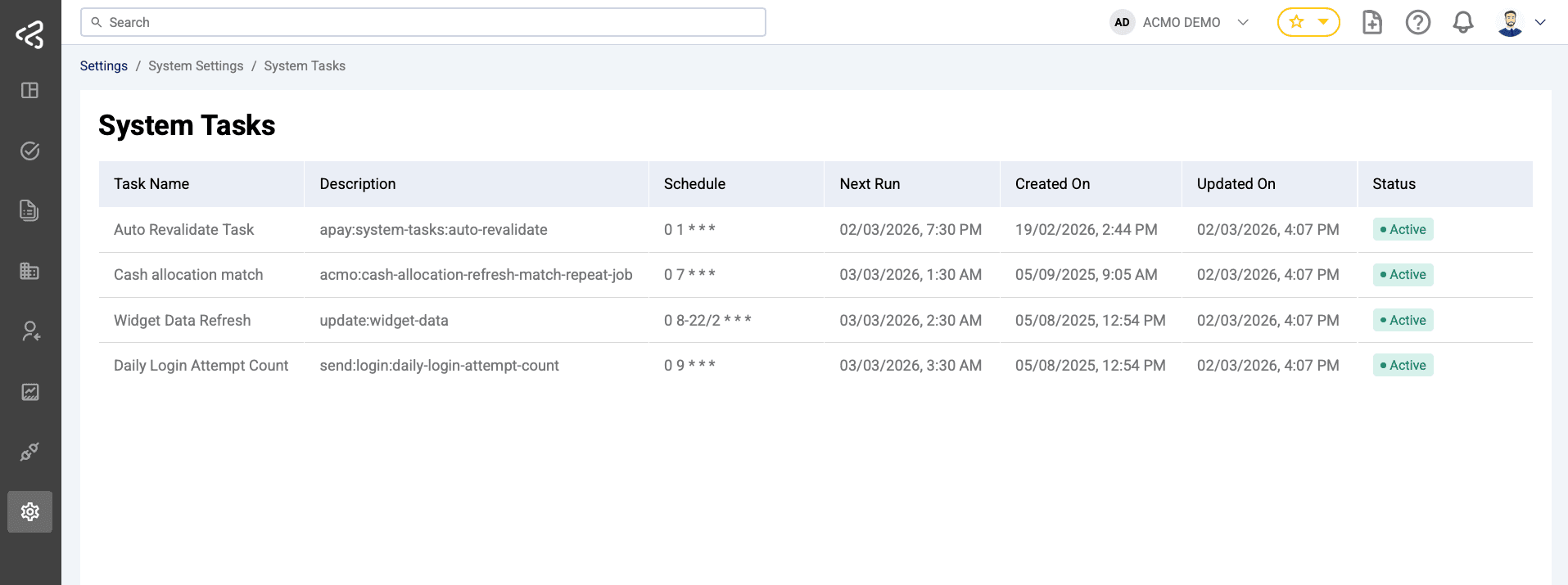
System Tasks List
The screen displays a table with the following columns:
-
Task Name
The name of the scheduled task (e.g. Widget Data Refresh) -
Description
A brief explanation of what the task does -
Schedule
The cron expression defining when the task runs -
Next Run
The next scheduled date and time the task will execute -
Created On
The date the task was created -
Updated On
The date the task was last modified -
Status
Indicates whether the task is Active or Disabled
Editing a System Task
System tasks are editable. Clicking on a task opens an Edit Task panel, allowing administrators to update task configuration.
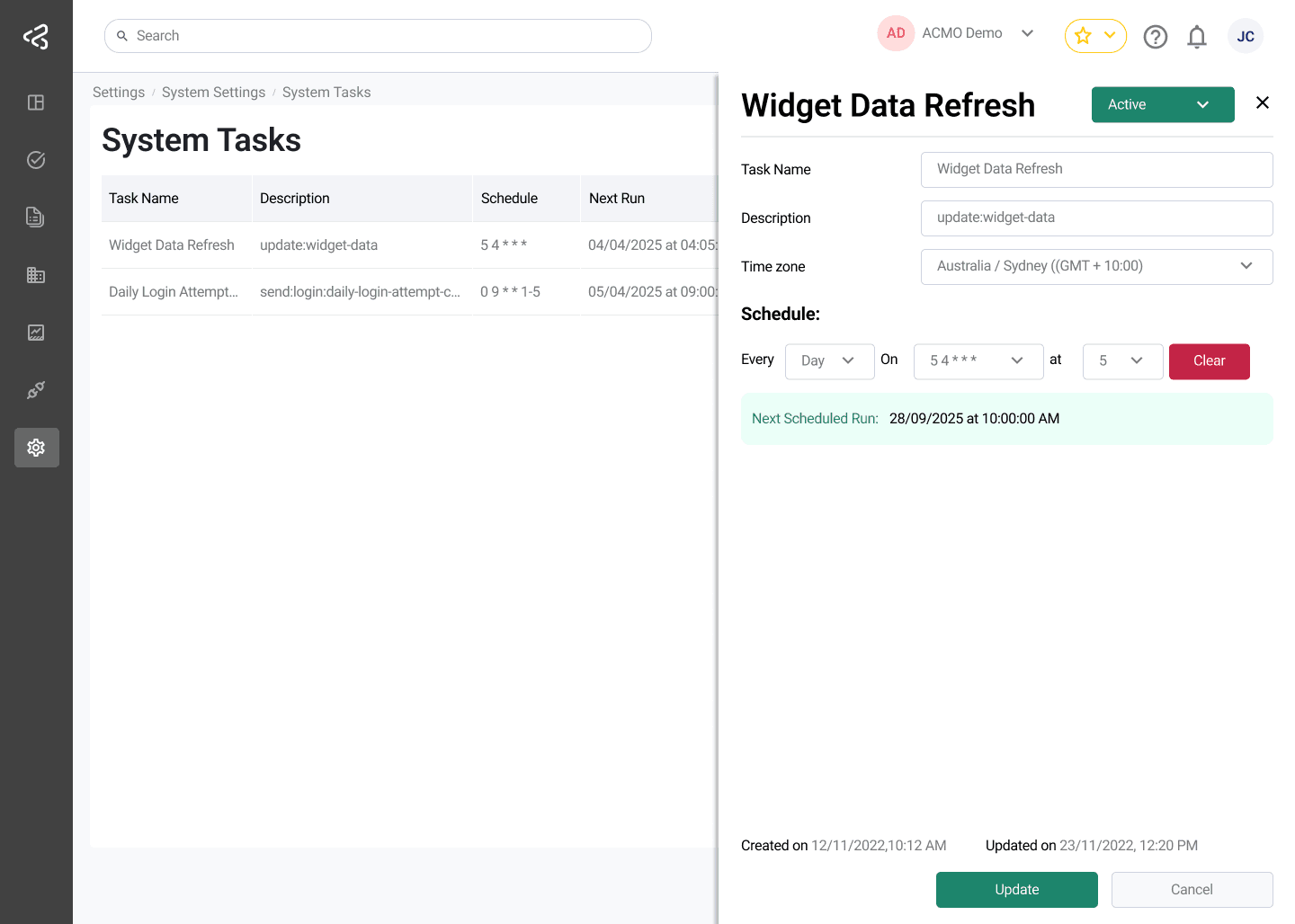
Edit Task Panel Fields
The following fields are available for editing:
-
Task Name
Text input to update the name of the task -
Timezone
A timezone selector to define the timezone used for scheduling the task execution -
Schedule
A cron expression input used to define how frequently the task runs -
Status
An Active / Disabled dropdown menu to enable or disable the task
Enabling or Disabling Tasks
- Tasks can be enabled or disabled using the Status dropdown in the edit panel
- Disabled tasks will not execute until re-enabled
- Changes take effect once the task configuration is saved
Summary
The System Tasks screen provides flexible control over scheduled background processes. Administrators can update task names, scheduling logic, and timezones, as well as enable or disable tasks as required to meet operational needs.