Cash Processing
Dashboard
The AR Dashboard provides an overview of receivables activity:
- System Overview - New vs processed documents.
- Day Sales Outstanding (DSO) - Average collection time by risk category (good, moderate, bad).
- Allocation Summary - Allocated vs unallocated payments.
- Recent Activity - Latest cash allocation actions.
Related: Reports - Day Sales Outstanding
Cash Allocation
The Cash Allocation screen displays pending and completed transactions.
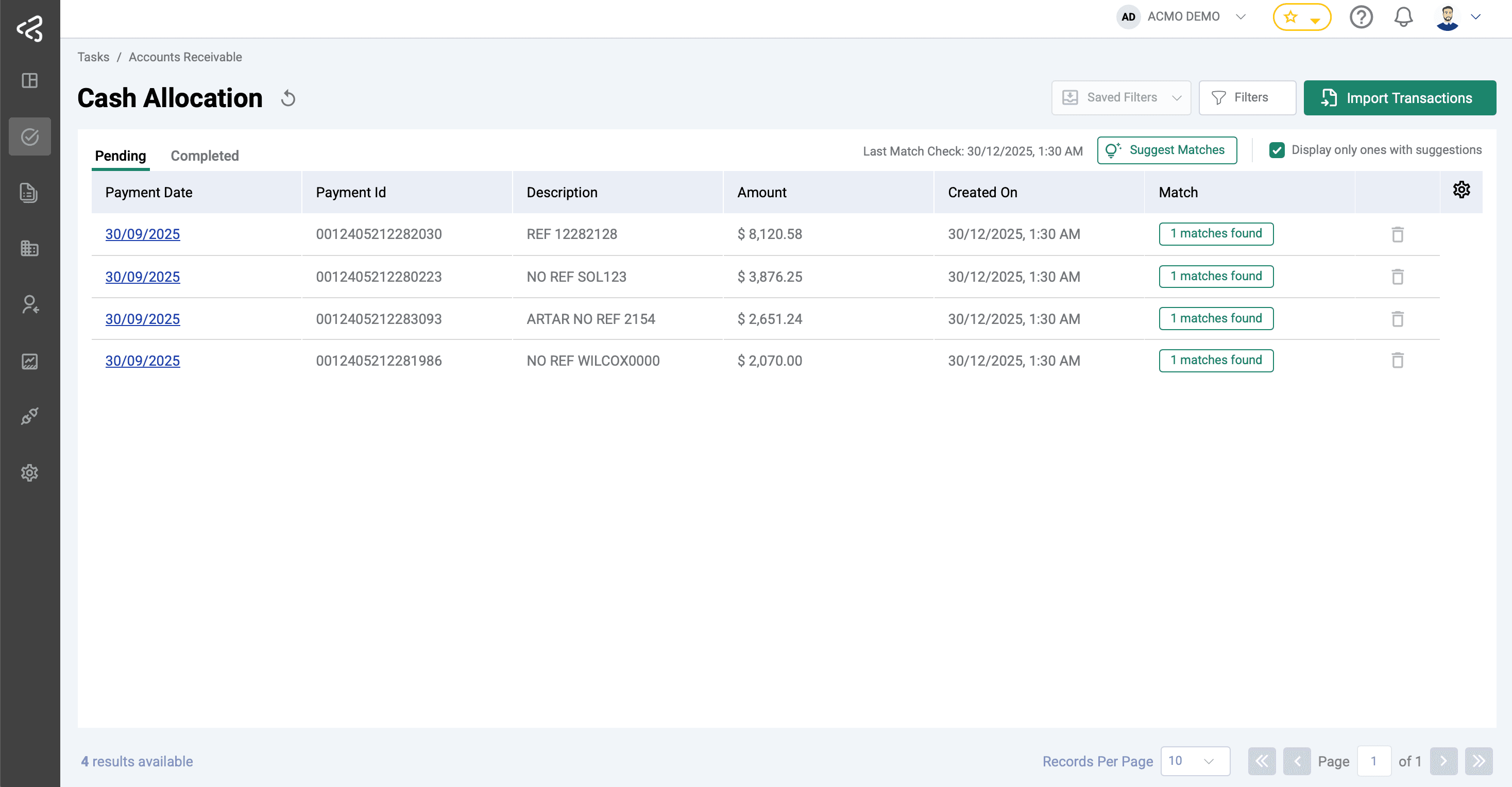
Features:
- Import bank transactions manually (
Import Transactions) or through direct integration. - Run system suggestions (
Suggest Matches) to automatically identify matching invoices. - Review allocations in detail:
- Filter by invoice number, order number, customer name, or amount.
- Select suggested invoices and resolve variances.
- Write off balances to Chart of Accounts or carry forward against customer account.
- Export completed allocations to ERP.
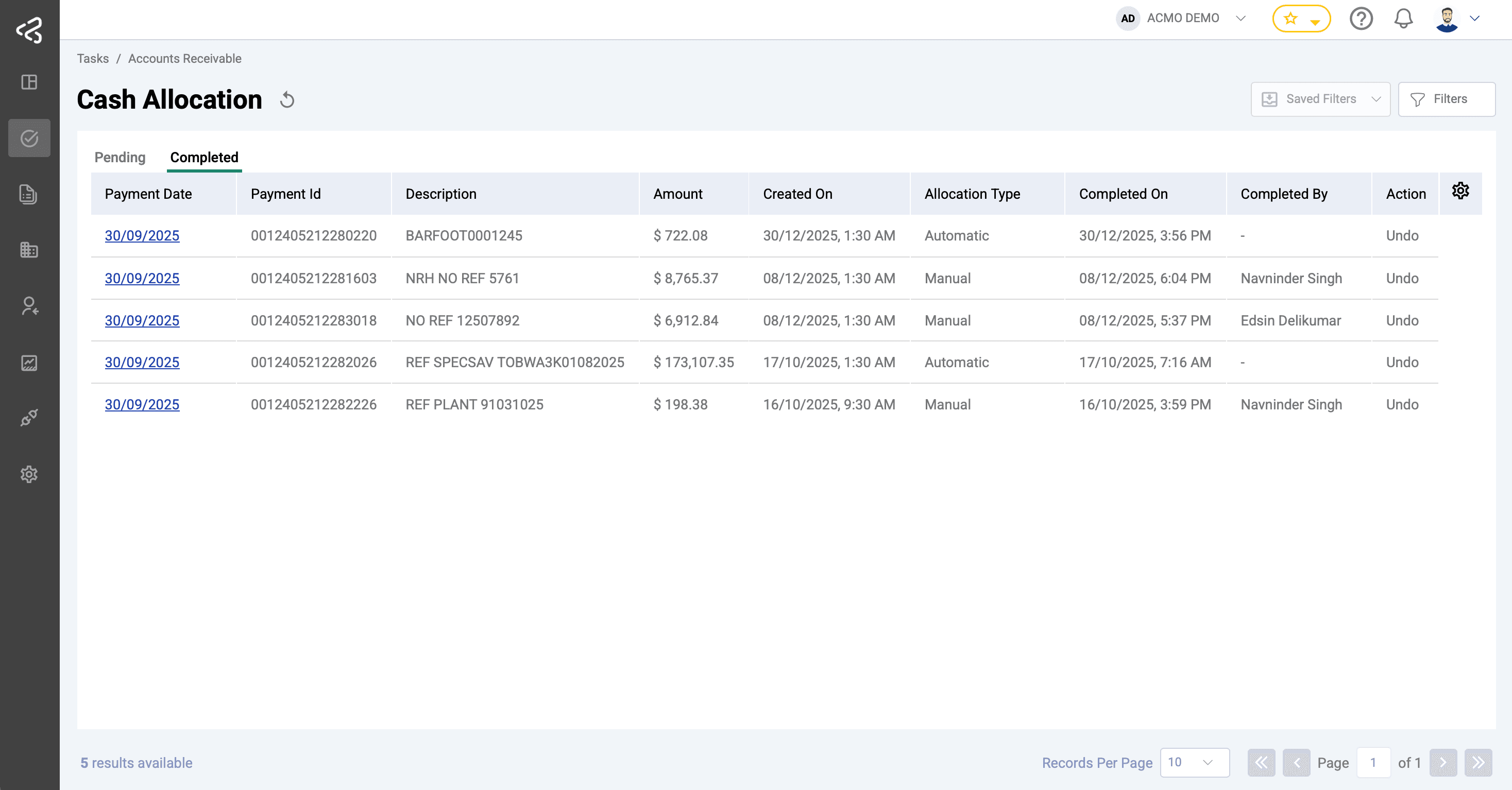
See also: Settings - Auto Allocation
Remittance Review
The Remittance Review menu shows pending and completed remittance advices.
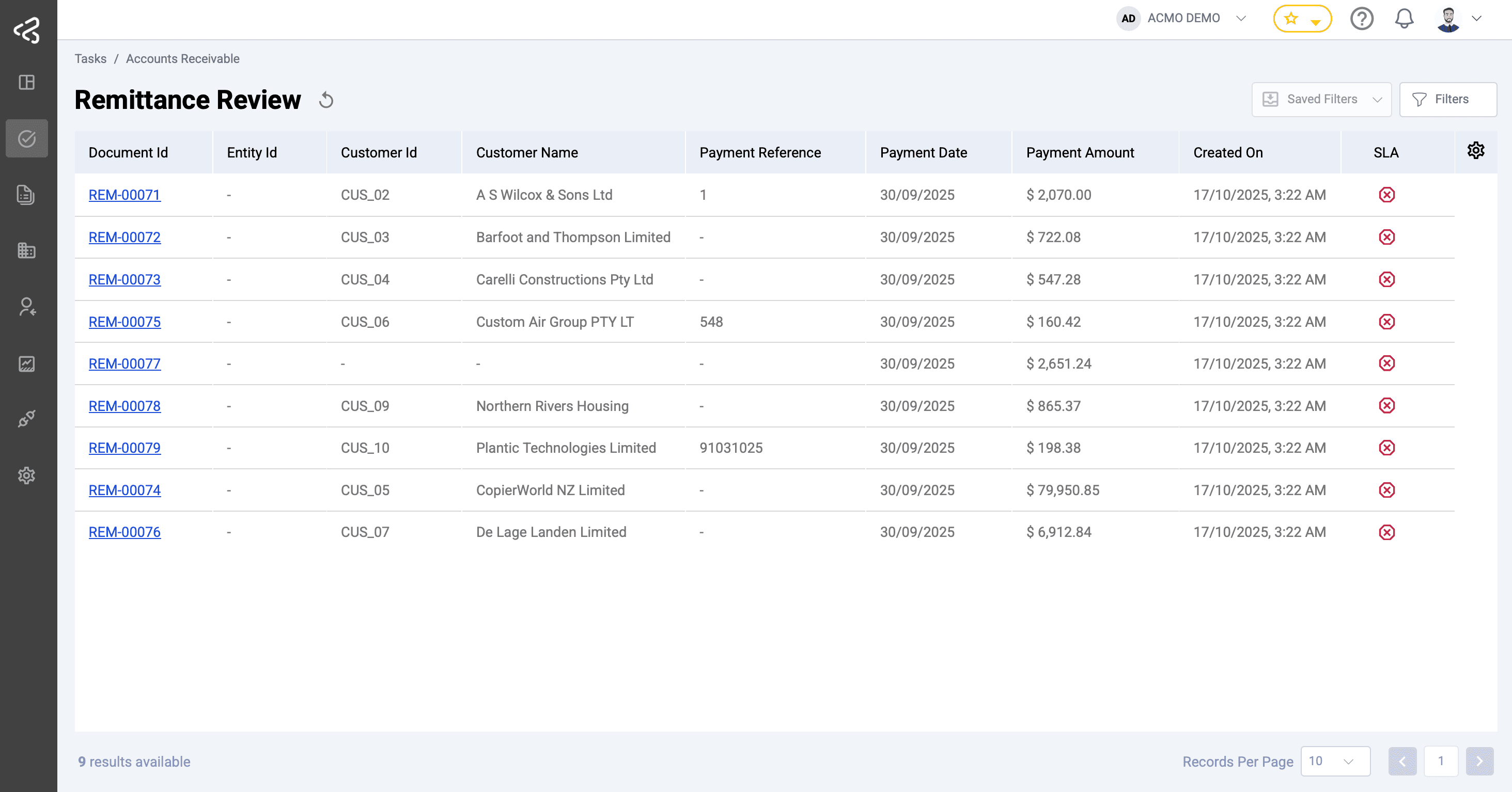
Features:
- Email ingestion from monitored mailboxes.
- Remittance document displayed side-by-side with extracted data.
- Header validation: customer ID, payment reference, payment method, amount, date.
- Line item validation: invoice numbers, invoice amount, payment amount.
- Business rules applied automatically (e.g. mandatory fields, invoice validation, totals matching).
- Once validated, invoices are tagged with payment reference and date.
See also: Business Rules – Remittance
Remittances (Completed)
The Remittances page provides a history of completed and in-review remittance advices:
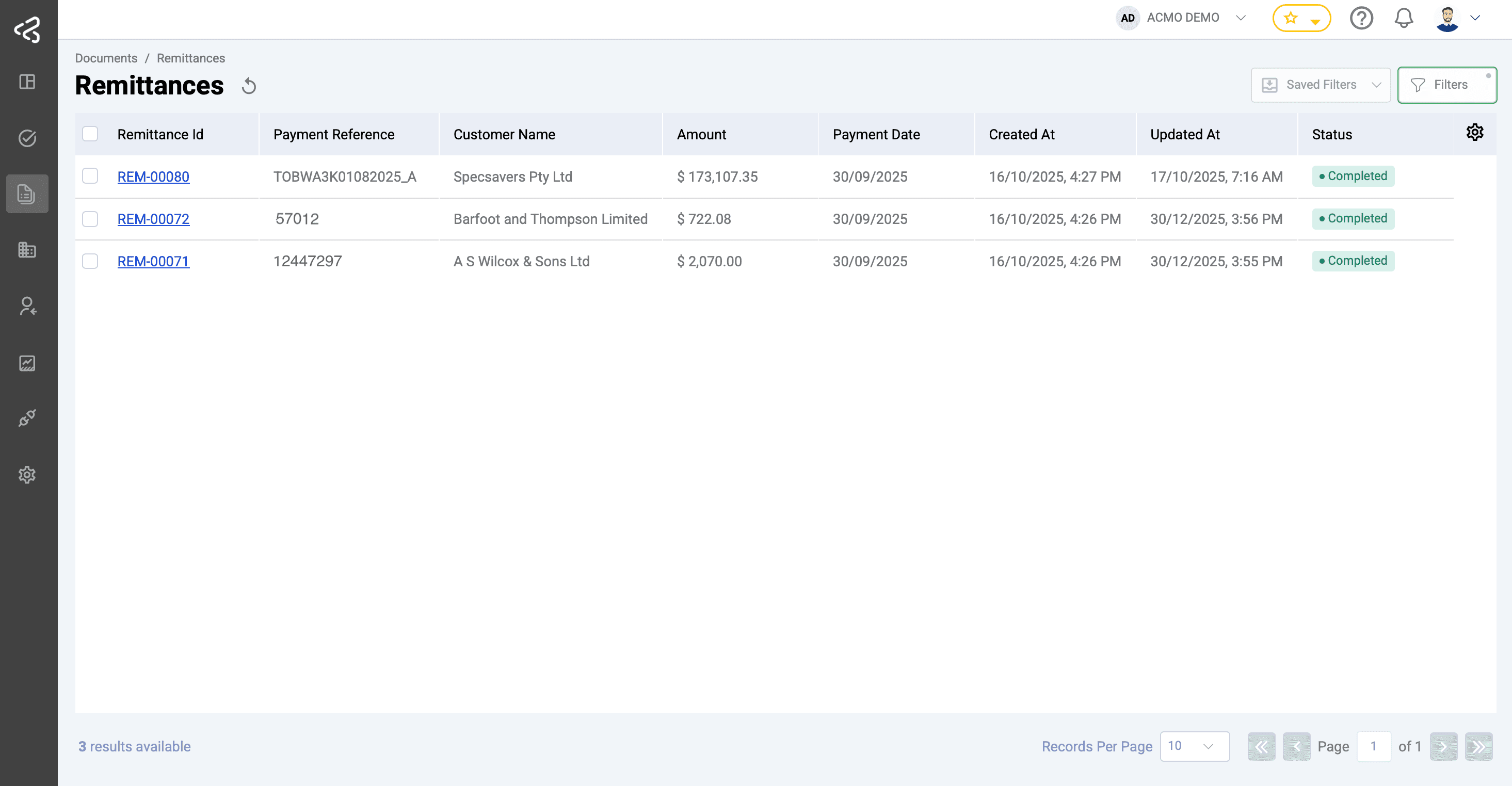
- View remittance ID, payment reference, customer name, amount, date, and status.
- Drill down to detailed remittance screen for line-level data.
Last updated on