Logos
The Logos settings screen allows authorized users to upload and manage the branding logos used across the ACMO Portal. These logos are reflected in the left-side navigation menu and help maintain consistent organizational branding.
Purpose
The Logos screen enables users to:
- Upload a Large Logo and a Small Logo
- Preview branding changes within the application navigation
- Reset logos back to the default state when required
Access to this screen is controlled by role-based permissions.
Screen Layout
The Logos screen is divided into two main sections, each with a drag-and-drop upload area:
- Large Logo
- Small Logo
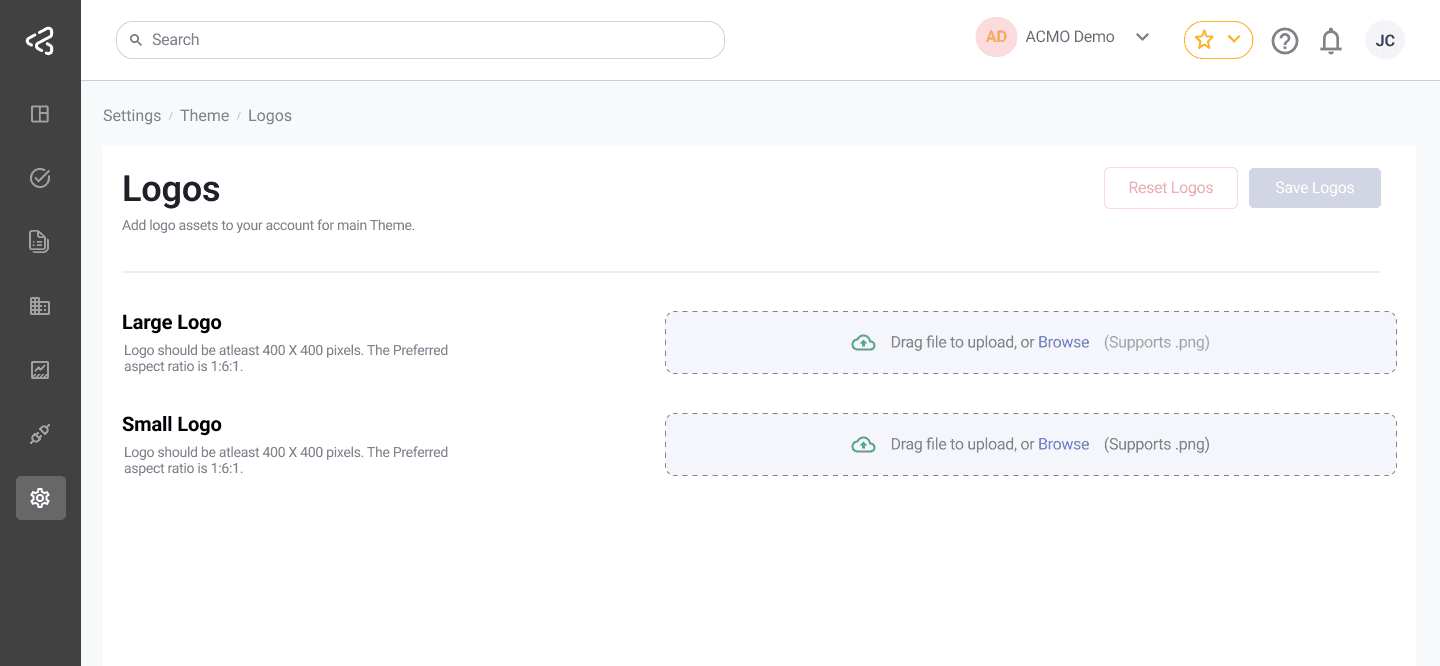
At the top-right corner of the screen, the following actions are available:
- Save Logos
- Reset Logos
Logo Types and Requirements
Large Logo
The Large Logo is typically used in the expanded (uncollapsed) left navigation menu.
Requirements:
- Minimum dimensions: 180 x 34 pixels
- Preferred aspect ratio: 3:1
- Supported via drag-and-drop upload
Small Logo
The Small Logo is typically used in the collapsed left navigation menu.
Requirements:
- Minimum dimensions: 34 x 34 pixels
- Preferred aspect ratio: 1:1
- Supported via drag-and-drop upload
Uploading Logos
To upload logos:
- Drag and drop the image file into the appropriate upload area (Large Logo or Small Logo).
- Repeat the process for the other logo type if required.
- Click Save Logos to apply and persist the changes.
Changes are not applied until the Save Logos button is clicked.
Resetting Logos
- Clicking Reset Logos removes any previously uploaded large and small logos.
- This action restores the system to its default logo state.
- After resetting, click Save Logos to confirm the removal.
Where Logos Are Displayed
Once saved successfully:
- The Large Logo appears in the left-side navigation menu when it is in the expanded (uncollapsed) view.
- The Small Logo appears in the left-side navigation menu when it is in the collapsed view.
These updates are reflected immediately across the portal for all users.
Summary
The Logos settings screen provides a simple, drag-and-drop interface for managing portal branding. By supporting both large and small logos with defined size and aspect ratio guidelines, the ACMO Portal ensures consistent and responsive branding across different navigation states.