Remittance Review
The Remittance Review task in the Accounts Receivable (AR) module enables users to review, validate, and process remittance advices received from customers. It supports automated ingestion, validation against business rules, and tracking through pending and completed states.
Accessing Remittance Review
- Navigate to: Tasks → Accounts Receivable → Remittance Review
- This opens the Remittance Review listing screen.
Remittance Review Screen
The Remittance Review menu displays both pending and completed remittance advices in a single consolidated view.
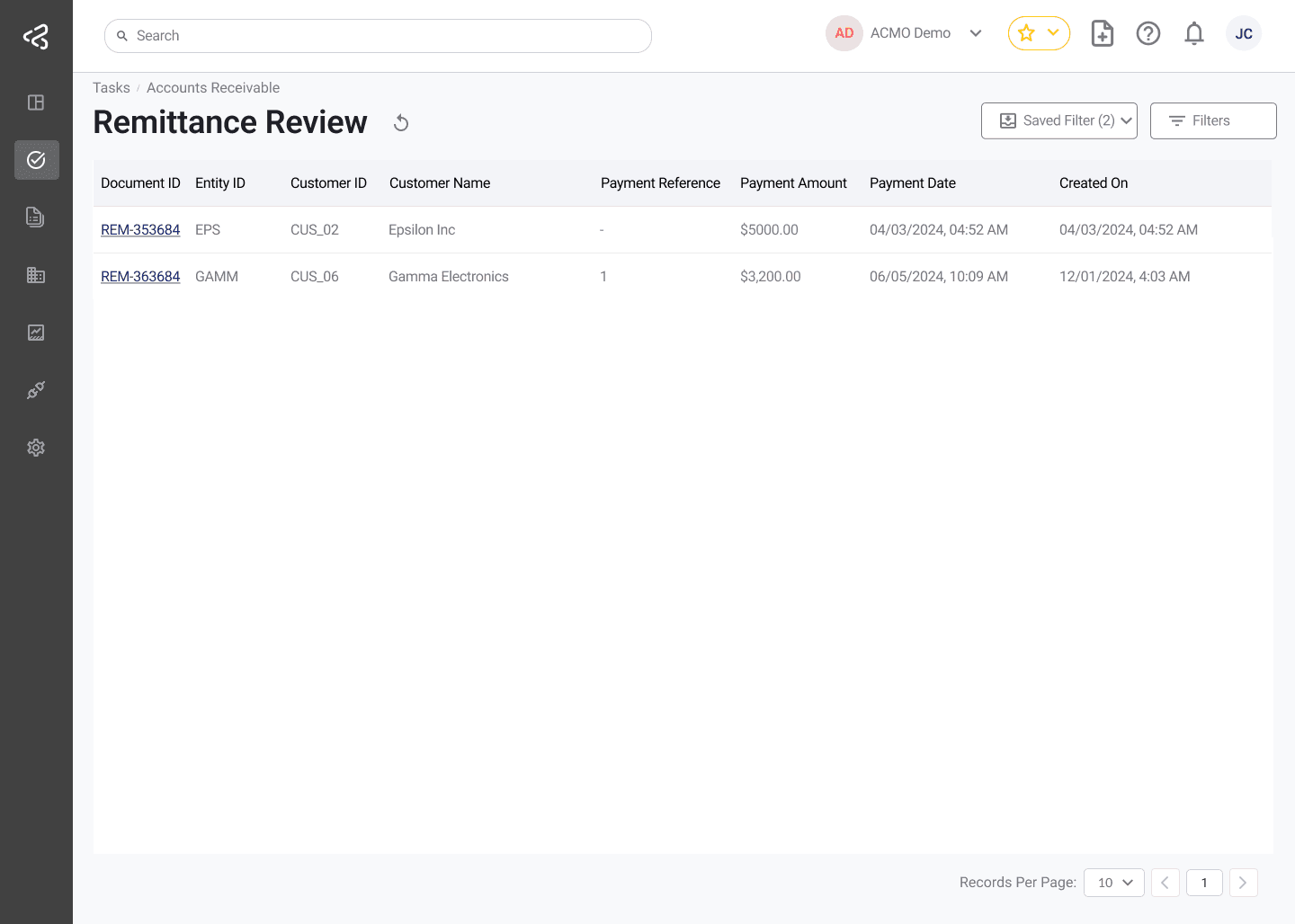
| Column Name | Description |
|---|---|
| Document ID | Unique identifier of the remittance document. Clickable to open the Remittance Review task screen. |
| Entity ID | Identifier of the legal or business entity associated with the remittance. |
| Customer ID | Unique identifier of the customer. |
| Customer Name | Name of the customer submitting the remittance. |
| Payment Reference | Reference number provided for the payment. |
| Payment Date | Date of the payment as per the remittance advice. |
| Payment Amount | Total payment amount mentioned in the remittance. |
| Created On | Date when the remittance document was ingested into the system. |
| SLA | Service Level Agreement status: Within SLA, Critical, or Breached. |
Remittance Review Task
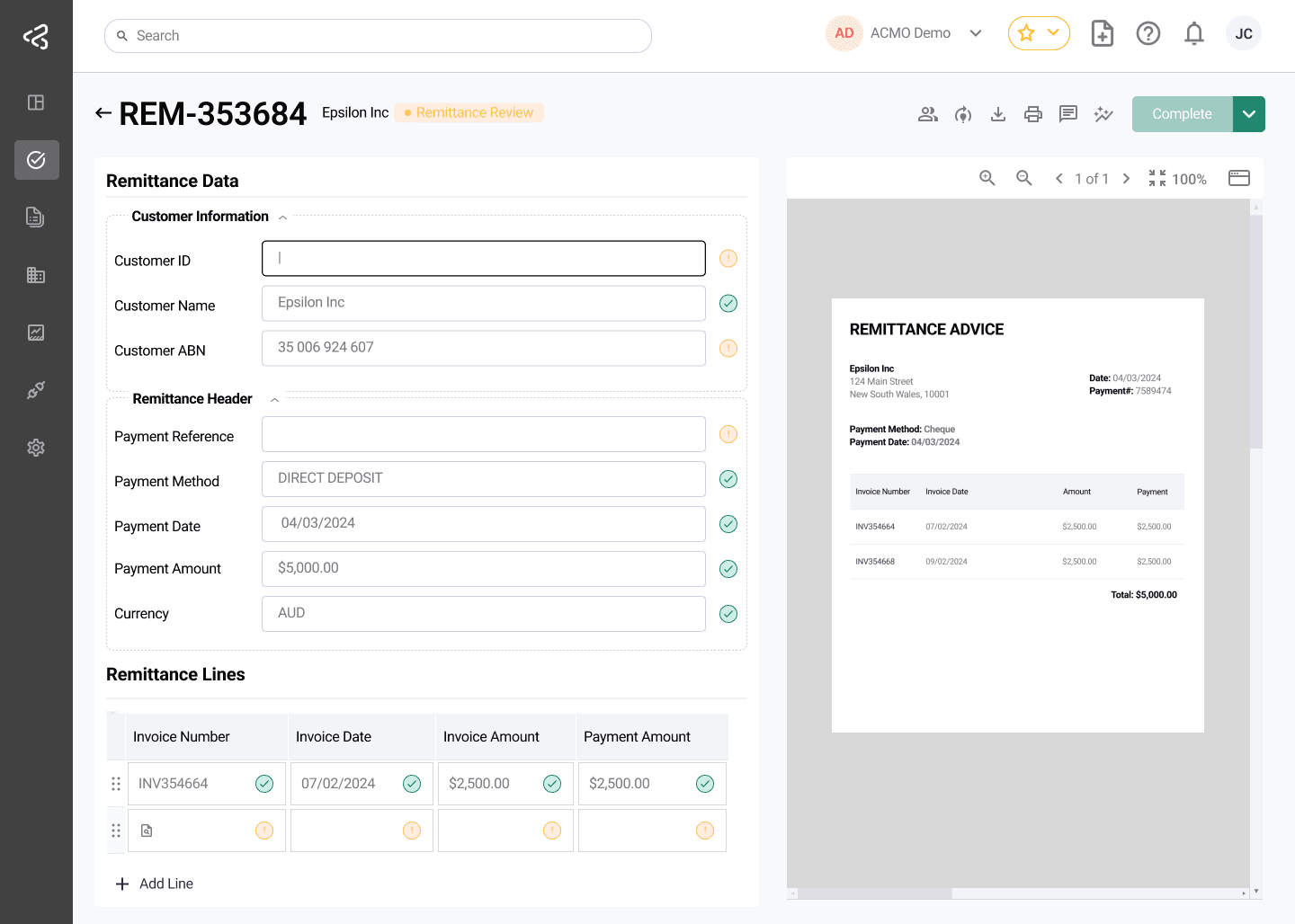
Clicking on a Document ID opens the Remittance Review Task screen, where users can review and validate remittance details.
Key Capabilities
-
Email Ingestion
- Remittance advices are automatically ingested from monitored mailboxes.
-
Side-by-Side Review
- The original remittance document is displayed alongside the system-extracted data for easy comparison.
Header-Level Validation
The system validates key header information, including:
- Customer ID
- Payment reference
- Payment method
- Payment amount
- Payment date
Line-Level Validation
Each remittance line item is validated for:
- Invoice numbers
- Invoice amounts
- Payment amounts applied to invoices
Line Item Actions
Two quick-action icons are available above the line item table, opposite the Remittance Lines label, to help users correct or reset invoice amounts during review:
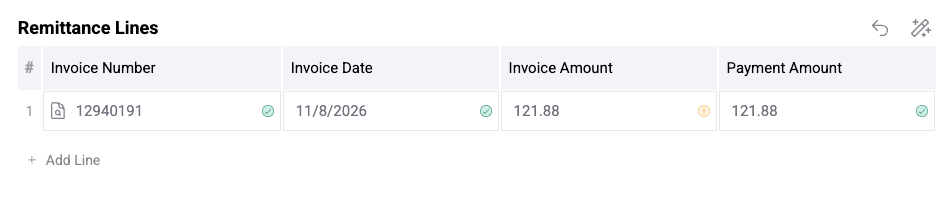
- Magic Wand Icon: Copies the amount from the Payment Amount cell into the Invoice Amount cell for each line.
- Reset Icon: Resets the lines back to their original, unmodified state, discarding any manual changes.
Automated Business Rules
- Business rules are applied automatically, such as:
- Mandatory field checks
- Invoice existence and validity
- Matching of invoice totals and payment totals
See also: Business Rules
Post-Validation Processing
- Once validation is successful:
- Invoices are tagged with the payment reference.
- Payment date is associated with the corresponding invoices.
Remittances (Completed)
The Remittances page provides a historical view of completed and in-review remittance advices. To view Completed Remittances, navigate to Documents > Remittances from the navigation menu.
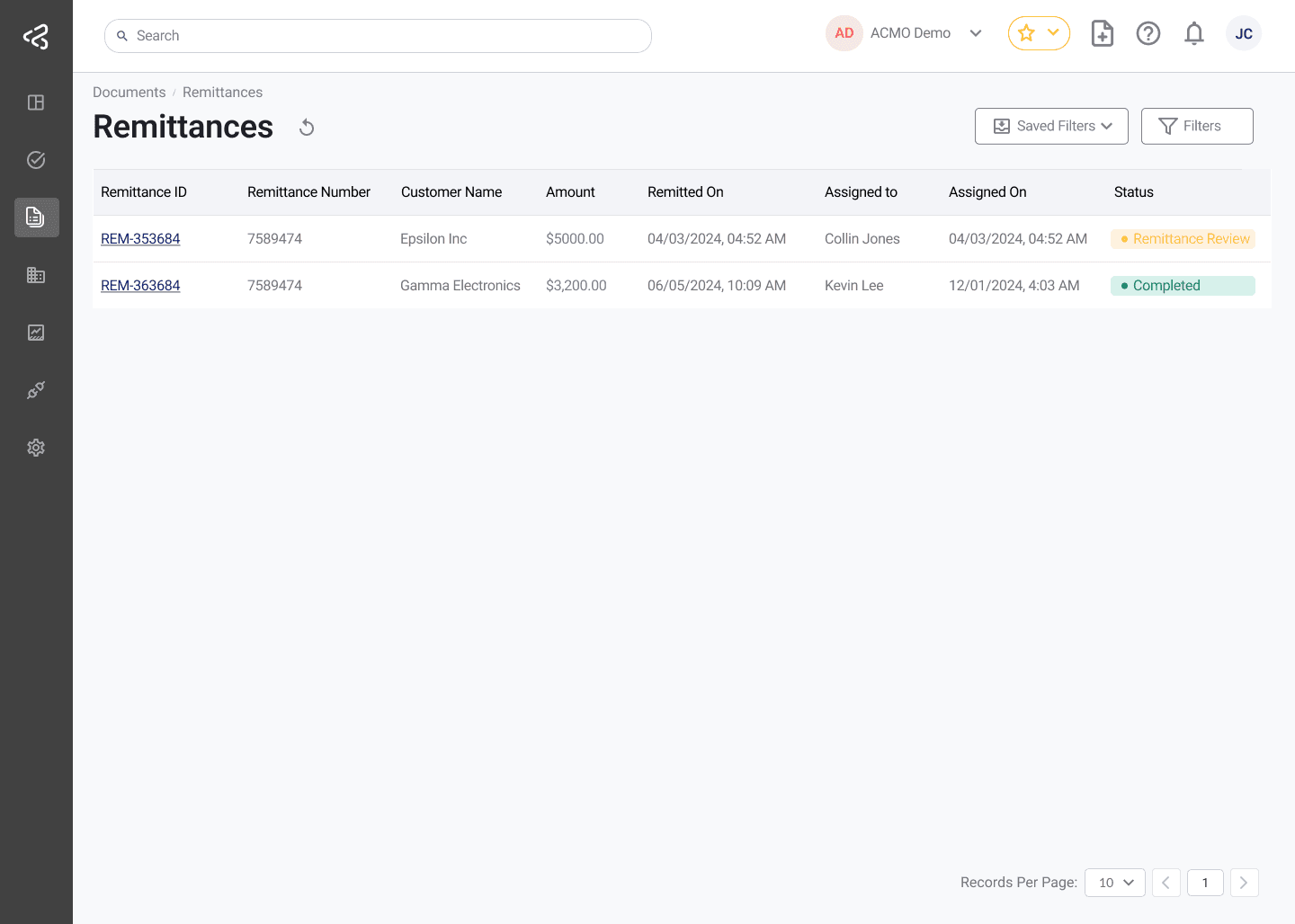
Clicking a Document ID from this listing opens the Remittance Document page, which provides a consolidated view of the remittance’s lifecycle, customer and payment details, and the original document.
For a full breakdown of the remittance timeline, layout, and available information, see Remittance Document.
The Remittance Review task streamlines the processing of remittance advices by combining automated ingestion, rule-based validation, and structured review workflows. This ensures accurate application of payments and improved visibility into remittance processing performance and SLA compliance.
Save and Clear options are available only when Allow Save is enabled in General Settings, allowing you to manage and retain in-progress changes efficiently.